
GTA 6 FAQ
Saves, missions, banking and getting away. Find the steps, then check the sources and conditions.
72 / 72 questions
Game & platforms
13 questionsIs GTA 6 out now?Official sourcesChecked
Yes. GTA 6 launched on November 19, 2026 for PS5 and Xbox Series X|S. Rockstar's current game page marks it as available now.
Read the full answer & sourcesWhat platforms is GTA 6 available on?Official sourcesChecked
The native console versions support PlayStation 5 and Xbox Series X|S, including Series S. Xbox One can stream through Xbox Cloud Gaming under Microsoft's stated conditions; it does not receive a native installation.
Read the full answer & sourcesWhen is GTA 6 coming to PC?Not verifiedChecked
As checked on November 21, 2026, Rockstar has not announced a native GTA 6 PC release date. Its current official platforms are PS5 and Xbox Series X|S.
Read the full answer & sourcesIs there a native PS4 version of GTA 6?Official sourcesChecked
No. PlayStation's official GTA VI FAQ explicitly says the game is not available for PS4. The current native versions are PS5 and Xbox Series X|S.
Read the full answer & sourcesCan I play GTA 6 on Xbox One?Official sourcesChecked
Distinguish cloud streaming from a native installation. Rockstar lists native PS5 and Xbox Series X|S versions; Xbox Wire announced GTA VI cloud streaming on eligible Xbox consoles, including Xbox One, from November 19. The game must be purchased separately, and the service's subscription, device, account and market conditions still apply.
Read the full answer & sourcesDoes GTA 6 have multiplayer, and when is Online coming?Official sourcesChecked
The released game is single player, with no GTA 6 multiplayer mode to join. PlayStation's official multiplayer FAQ states this directly. The official material checked here has not announced a separate GTA 6 Online date.
Read the full answer & sourcesDoes GTA 6 support crossplay or cross-platform saves?Official sourcesChecked
The current single-player release has no multiplayer crossplay between PS5 and Xbox. Cross-platform saves are separate: the checked official information has not established PlayStation-to-Xbox save-transfer rules.
Read the full answer & sourcesDoes GTA 6 run at 60fps?ReportedChecked
The launch console game targets 30fps, including on PS5 Pro, without a launch 60fps mode. TechRadar reviewed it on PS5 Pro for almost 100 hours; PC Gamer's launch reporting covers Rockstar's explanation of the frame-rate trade-off.
Read the full answer & sourcesDoes GTA 6 have a full first-person mode?ReportedChecked
Default play is primarily third person, but PC Gamer's November 20 report documents a movable first-person workaround tested by its writer. Set the touch pad or Select function to Camera (2/2), then use the in-car phone and camera-button sequence.
Read the full answer & sourcesHow much is GTA 6, and which edition should I buy?Official sourcesChecked
As checked on November 21, the US PlayStation Store lists Standard at $79.99 and Ultimate at $99.99. Standard includes the game; Ultimate adds the upgrade's bonuses throughout Jason and Lucia's story.
Read the full answer & sourcesCan I play GTA 6 offline?Official sourcesChecked
Yes. The PS5 listing explicitly supports offline single-player play after downloading, installing and setting up the account license. Downloads, updates and Xbox cloud streaming still need an internet connection.
Read the full answer & sourcesDo I need Game Pass or PlayStation Plus to play GTA 6?Official sourcesChecked
The purchased PS5 game's offline single-player mode does not require PlayStation Plus. Xbox cloud access is not a free Game Pass copy: Microsoft's announcement says GTA VI must be bought separately, with cloud-access eligibility handled separately.
Read the full answer & sourcesDoes the GTA 6 box contain a disc, and is its code region locked?Official sourcesChecked
The documented PS5 boxed version contains a download code, not a disc. Its voucher region must match the PlayStation account's region, so check the packaging before buying.
Read the full answer & sourcesInstall & setup
7 questionsHow many GB is the GTA 6 download?Official sourcesChecked
Rockstar's installation requirements give a reference of up to 212GB of available space, depending on device. Use the console queue for the current transfer total: required space, the download package and patches are different figures.
Read the full answer & sourcesHow much free space should I leave to install GTA 6?Official sourcesChecked
The published GTA 6 installation and play requirement is up to 212GB of available space, depending on device. Use that reference, then check the current console installation prompt; later updates can change the capacity needed for your install.
Read the full answer & sourcesWhat should I check if GTA 6 will not launch?Official sourcesChecked
Start with the account and purchase entitlement, the installed product, and whether its downloads and updates have finished. Then record the exact console error. PlayStation provides GTA VI-specific download and launch help; our guide separates these platform checks rather than labeling every launch failure as the same game bug.
Read the full answer & sourcesWhat should I do if the GTA 6 download is stuck?Official sourcesChecked
Check the download queue for a pause, error or insufficient-space message. PlayStation's GTA VI support page recommends pausing and resuming the PS5 download through Downloads/Uploads. Start with reversible checks, then follow the actual error and platform guidance instead of deleting saves or treating one speed fluctuation as a corrupted download.
Read the full answer & sourcesIs a stuck GTA 6 update the same as an update not appearing?Official sourcesChecked
They are different states. An update already in the queue but making no progress is not the same as a console offering no update. Record the installed version, queue message and available storage first. No new prompt alone does not prove the version is outdated, and copying or installation is not necessarily an active download.
Read the full answer & sourcesWhere should I check GTA 6 subtitles and language settings?Official sourcesChecked
Simplified and Traditional Chinese text are supported. PlayStation's official table lists 12 text options and English as the only voice language, with no Chinese dub. Check subtitle, text and audio choices separately.
Read the full answer & sourcesHow should I back up a GTA 6 save, and is site progress a backup?Official sourcesChecked
Website map markers and checklists are not backups of a game save. PS5 cloud saves are a PlayStation Plus feature, with account, eligibility and synchronization checks; a console USB backup is a different operation. Check Xbox's platform-specific save guidance separately, and do not treat either method as PlayStation-to-Xbox save transfer.
Read the full answer & sourcesPlay & progress
25 questionsHow do I save my game in GTA 6, and how many save slots are there?ReportedChecked
During free roam, open the pause menu, choose Game, then Save Game and select a manual slot. PC Gamer and PowerPyx's launch guides both document 15 manual save slots.
Read the full answer & sourcesCan I replay a completed mission in GTA 6?ReportedChecked
The launch version has no completed-mission replay or chapter-select menu. To revisit earlier story content, load a manual save made before it. Retrying a checkpoint after failing the current mission is a separate feature.
Read the full answer & sourcesDoes GTA 6 have an easy mode, and how can I make it easier?ReportedChecked
There is no single Easy, Normal or Hard selector, but there are assists. Open Settings, then Gameplay and enable Accessible Combat or Reduced Vehicle Damage for more forgiving combat and vehicle damage.
Read the full answer & sourcesHow do I switch between Jason and Lucia in GTA 6?ReportedChecked
On the PS5 layout documented by Push Square, hold D-pad Right and press R1 to switch characters. The other lead can be unavailable when the story temporarily prevents switching.
Read the full answer & sourcesHow do I unlock and enter GTA 6 cheats, and can I still save?ReportedChecked
PC Gamer and PowerPyx's launch guides require finishing the story and meeting each cheat's unlock condition. Cheats then appear under Progress. Open the phone with D-pad Up, hold L1/LB, then press R1/RB to enter an unlocked command.
Read the full answer & sourcesHow long does it take to finish the GTA 6 story?ReportedChecked
VGC's Jordan Middler reached the credits after 100 hours with substantial side content. He estimates around 60 hours when focusing on main missions. The former is his actual run and the latter a main-story estimate, rather than an official fixed duration.
Read the full answer & sourcesHow many chapters and story missions does GTA 6 have?ReportedChecked
The checked launch guides agree on five chapters. Their mission counts differ: PC Gamer lists 91 story missions and Push Square lists 93. Those counts should remain attributed rather than becoming one official total.
Read the full answer & sourcesCan I keep exploring after finishing the GTA 6 story?ReportedChecked
Yes. Push Square's launch chapter guide says you can continue free-roaming in Leonida after the story. A final-stage confirmation does not mean the entire open world permanently closes after the credits.
Read the full answer & sourcesHow do I open a bank account and unlock BuckMe in GTA 6?ReportedChecked
After Coming Home in Chapter 1 and the related call, use Jason to track Set Up Bank Account and visit Fleeca in Key Lento. Speak with the teller and manager, then complete the Buck Me setup to use phone banking.
Read the full answer & sourcesHow do I deposit cash into a bank account in GTA 6?ReportedChecked
After unlocking BuckMe, open ATM Finder in the phone app and choose Set Destination. Interact with the ATM, select Deposit, set an amount and confirm to deposit carried cash.
Read the full answer & sourcesCan I withdraw money from Family Savings in GTA 6?ReportedChecked
No. Rare Thief and PowerPyx's Buck Me walkthroughs say money transferred from Checking Account through Buck Yourself into Family Savings cannot be withdrawn. Keep enough for everyday spending before transferring.
Read the full answer & sourcesWhere do I buy a mask in GTA 6, and how do I wear it?ReportedChecked
Playbook's PS5 captures show a Reel Neck Gaiter listed at $35 under Neckwear in Chuck's Tackle & Shot. Once owned, select it in the Items wheel and use Wear Style to cover the face.
Read the full answer & sources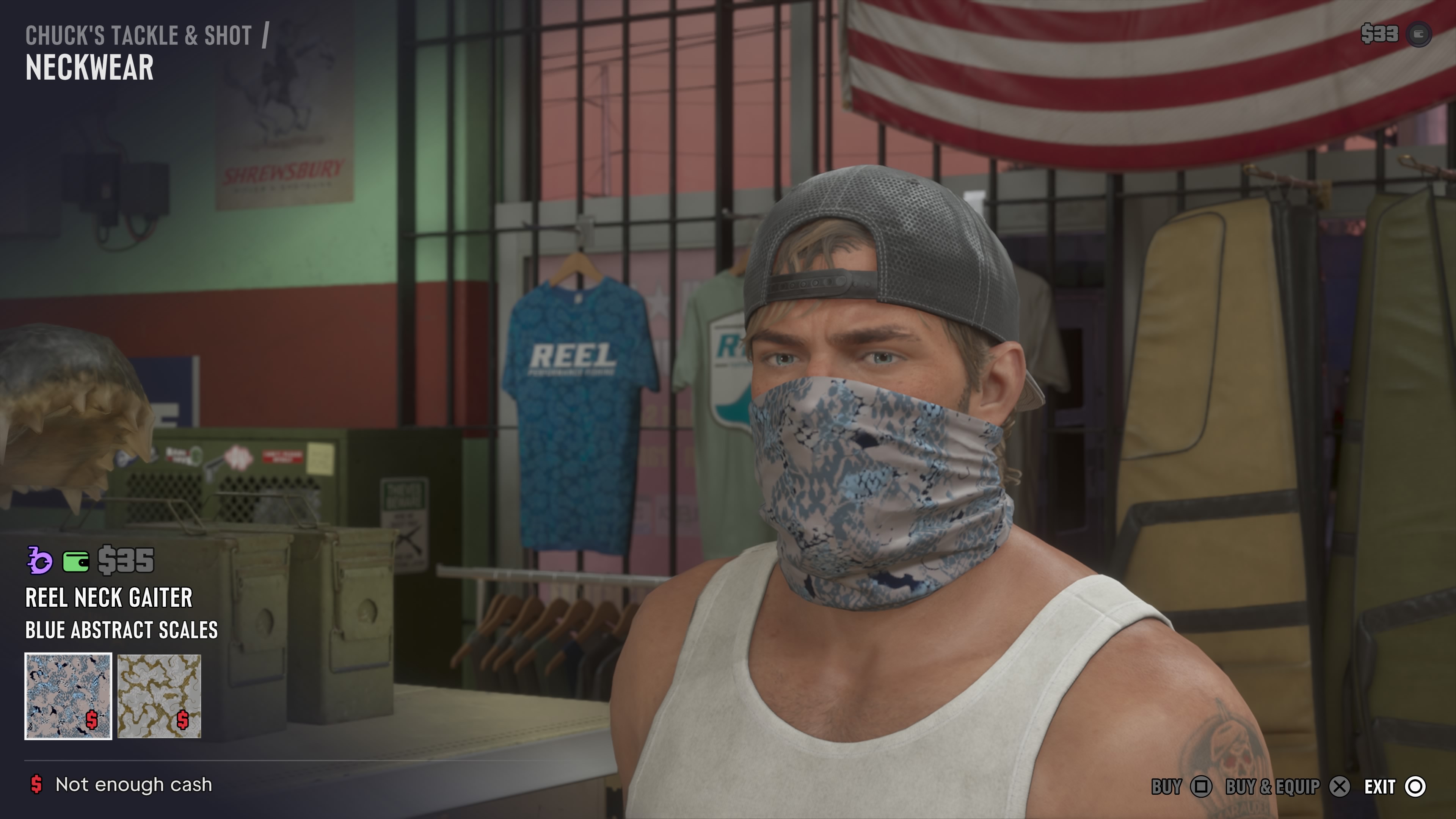
How do I lose the police and reduce Heat in GTA 6?ReportedChecked
Break line of sight, hide or leave the search area, then address the appearance, clothing or vehicle descriptions shown by Heat icons. The game-help captures also advise holstering or stowing visible weapons to avoid renewed attention.
Read the full answer & sourcesHow do I call a taxi and skip the journey in GTA 6?ReportedChecked
Once Paradise Taxi appears in Contacts, call it, choose a destination and confirm the fare. Inside, focus on the driver with L2/LT and select Skip Journey with Triangle/Y.
Read the full answer & sourcesHow do I activate Combat Focus in GTA 6 and refill it?ReportedChecked
While aiming a weapon, click both sticks together: L3 + R3 on PS5 or LS + RS on Xbox. Combat Focus slows time and uses the Focus bar. It refills over time; showering or freshening up at a sink can restore or temporarily buff it.
Read the full answer & sourcesHow do I increase Focus for longer combat slow motion in GTA 6?ReportedChecked
Train Focus through activities such as shooting-range challenges, golf putting, pool or fishing, and check progress in the phone's Fitness app. A higher Focus stat increases your available combat slow-motion time; food and drink buffs are temporary.
Read the full answer & sourcesHow do I heal and use Zombix or adrenaline in GTA 6?ReportedChecked
With stock available, hold L1 / LB for the wheel, then press Square / X for Zombix or Triangle / Y for adrenaline. Food, drinks and safehouse sleep also help recovery. Buy Zombix at grocery stores or find it while exploring.
Read the full answer & sources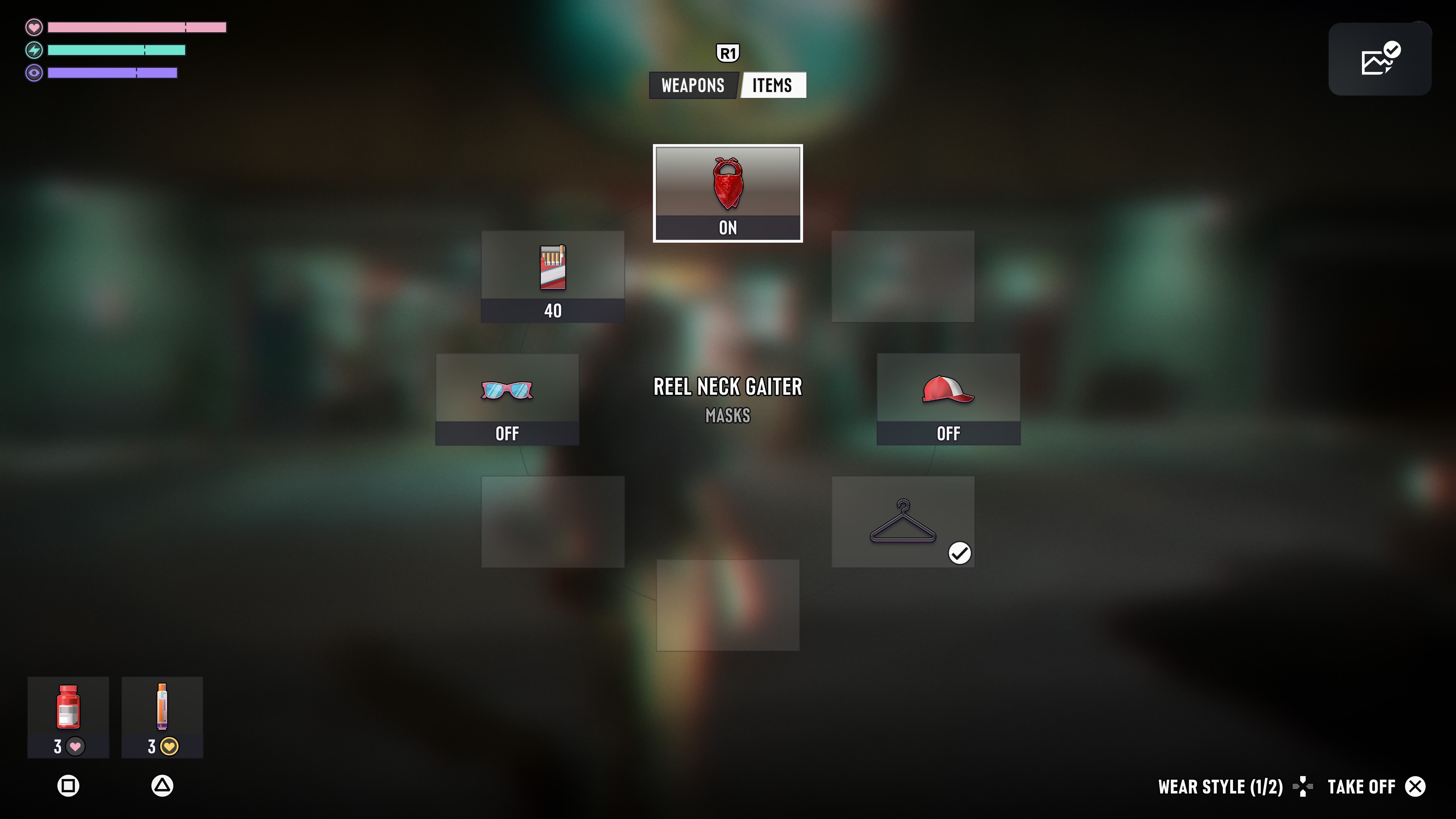
How do I raise health and stamina in GTA 6, and why is training unavailable?ReportedChecked
Strength training increases health capacity; running, cycling, swimming or gym cardio builds stamina. Check workout windows in the phone's Fitness app. After reaching the current training limit, recover and wait for another window before training again.
Read the full answer & sourcesHow do I repair Jason's house, and where is the railing?ReportedChecked
After Gone Fishing, return to Key Lento and select Jason's House on the map: repair the front steps, leaking roof, railing and bedroom wall, then paint the wall. The railing is by the other staircase beside the outdoor weights. Tools and materials are at home; finish before collecting Lucia in Coming Home.
Read the full answer & sources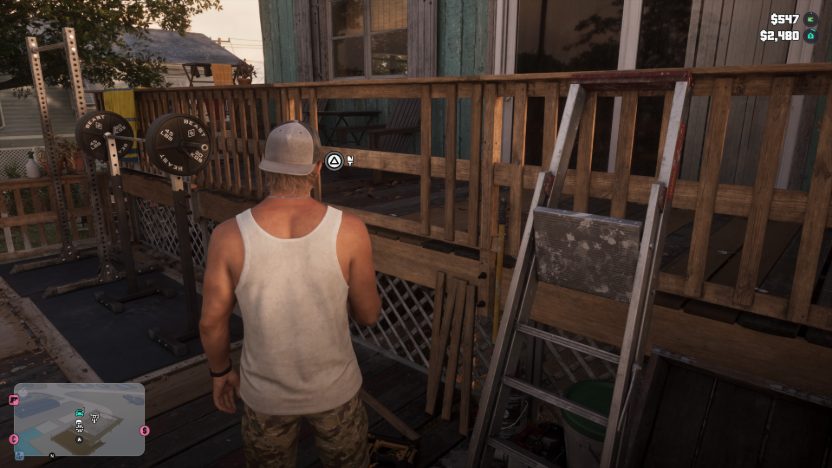
Where do I get a fishing rod, and how do I fish in GTA 6?ReportedChecked
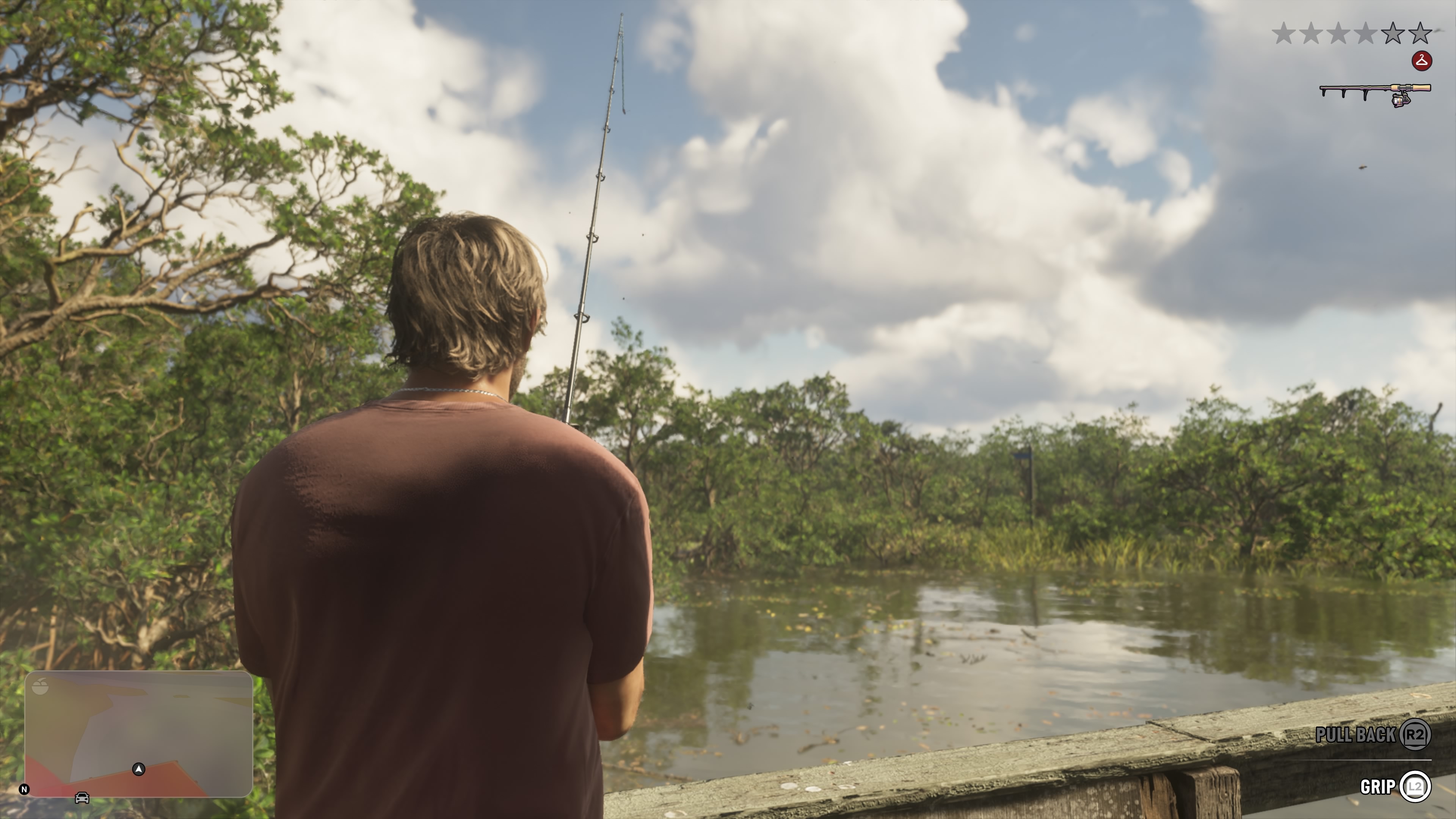
Take a free rod from the small dock behind Jason's house in Key Lento and equip it from Equipment. Grip with L2/LT, hold and release R2/RT to cast, then press R2/RT to hook. Use the right stick to lure/reel and the left stick against the fish's movement. Reel when it stops fighting.
Read the full answer & sources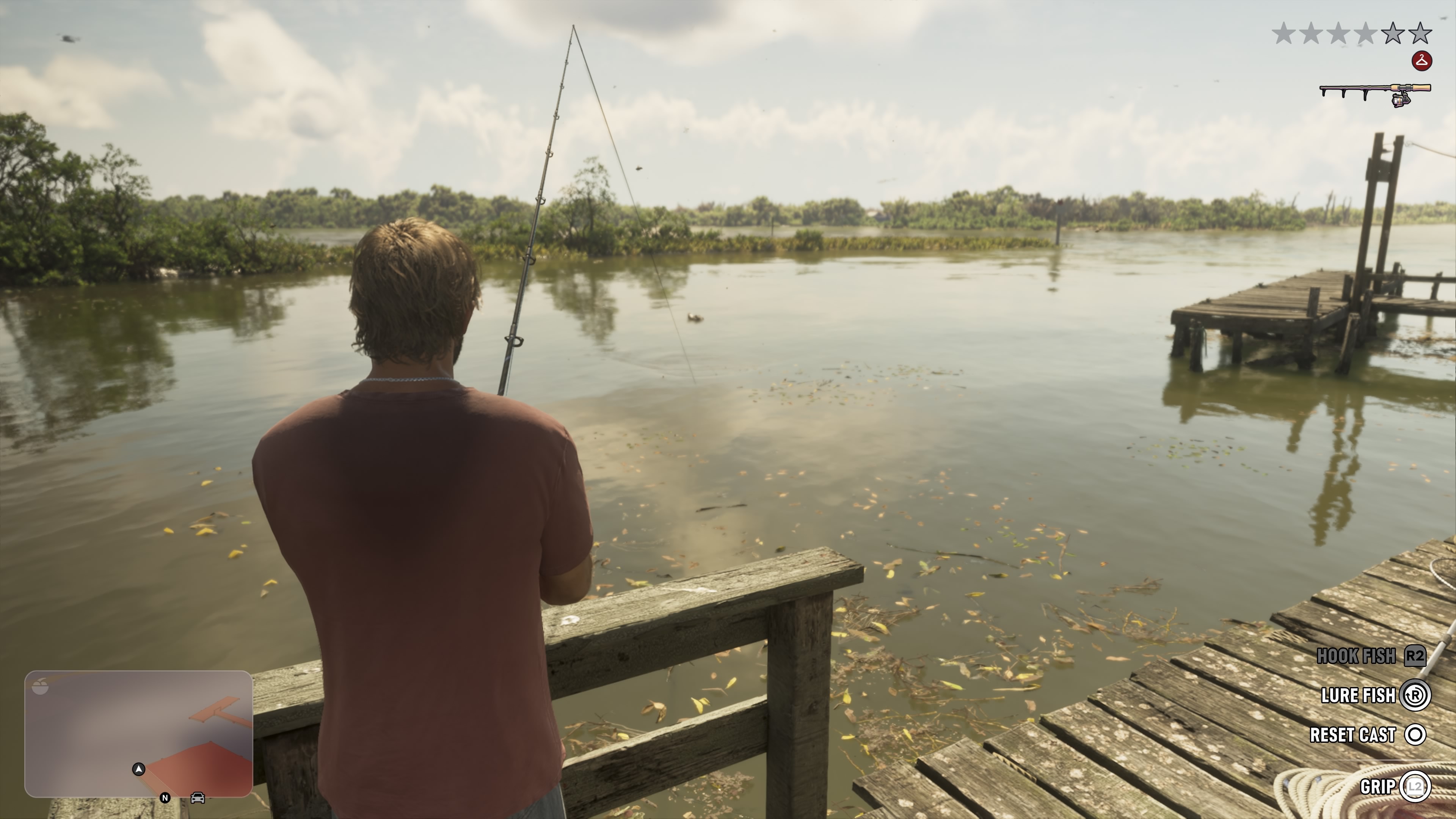
How do I unlock Bret's hunting jobs and Target Decks in GTA 6?ReportedChecked
After Coffee Break in Chapter 2, play as Jason and wait for Bret Vogel's text. Visit the Veteran Hunted marker in Lummox County alone; the job cannot start with Lucia accompanying him. Complete the hunting tutorial, then find the purple follow-up jobs under Map > Activities > Target Deck.
Read the full answer & sourcesHow do I change clothes, outfits and hair in GTA 6?ReportedChecked
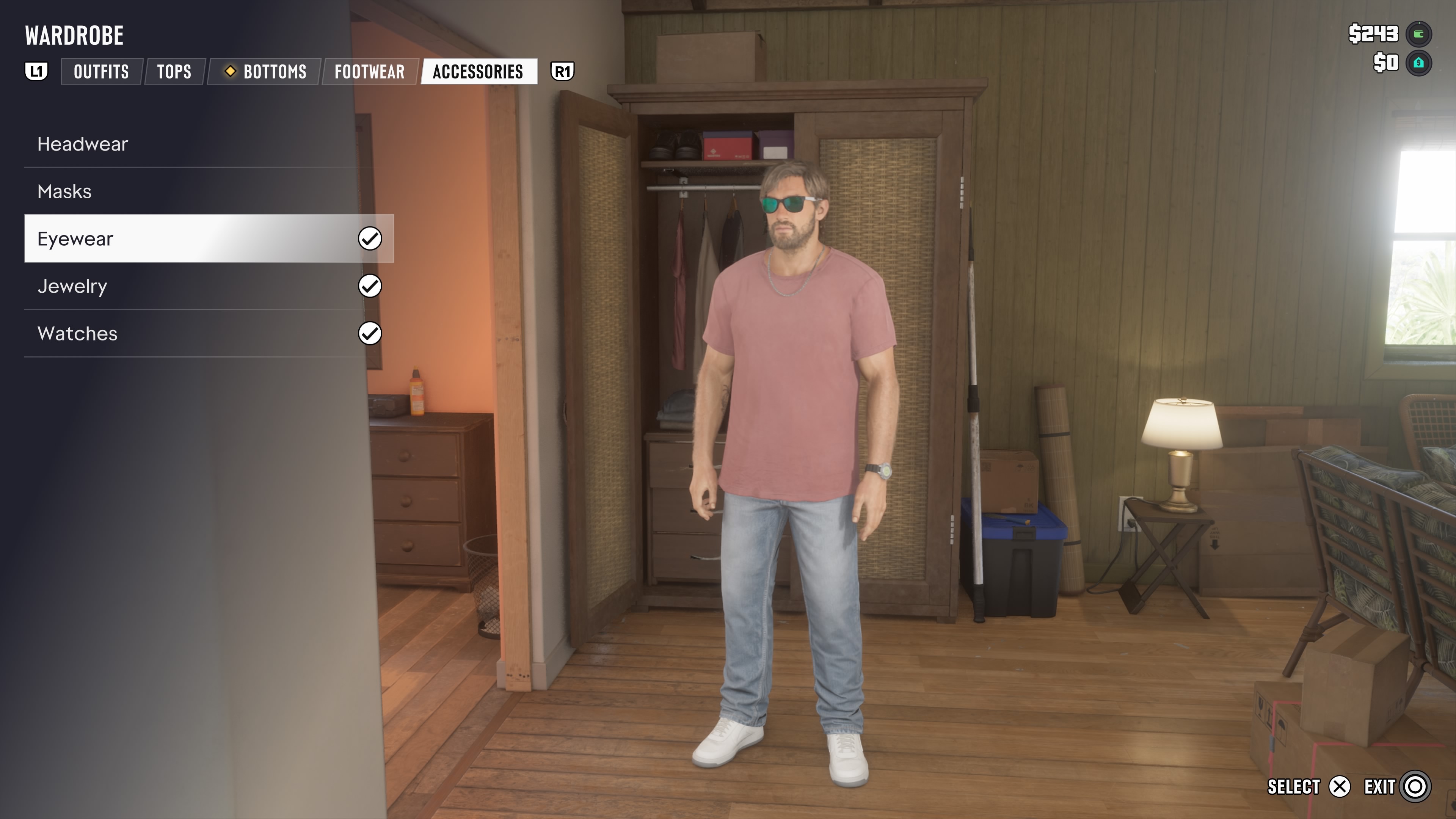
Buy new clothes at a clothes shop, use Wardrobe for existing items, and visit a barber for hair or beard changes. Nifty Threads' PS5 menu separates Square Buy from Cross Buy & Wear. During Lucia's Release preparations, Get the Chop directs you to Barnacle Beauties.
Read the full answer & sources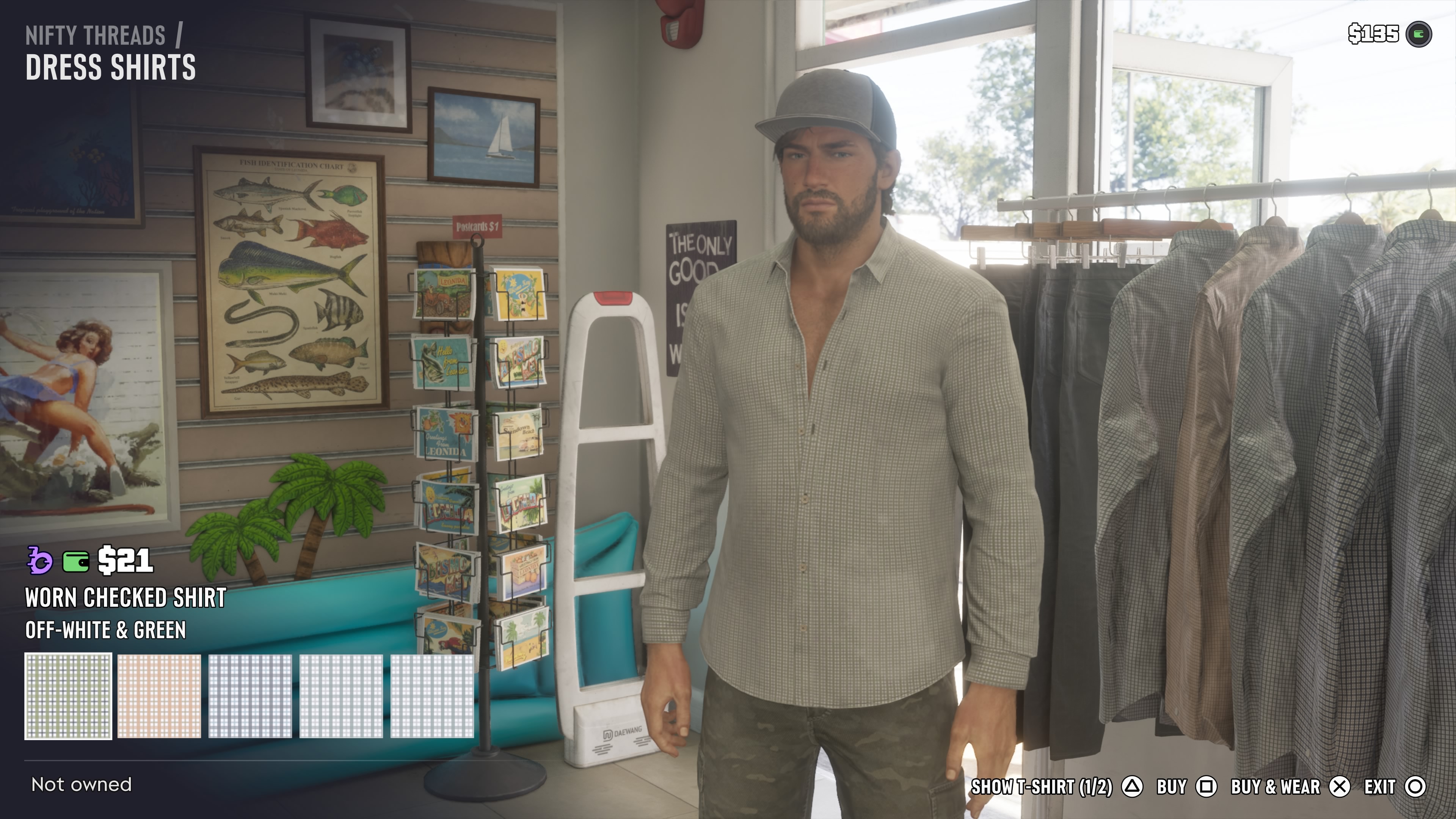
How do I get or remove a tattoo in GTA 6?ReportedChecked
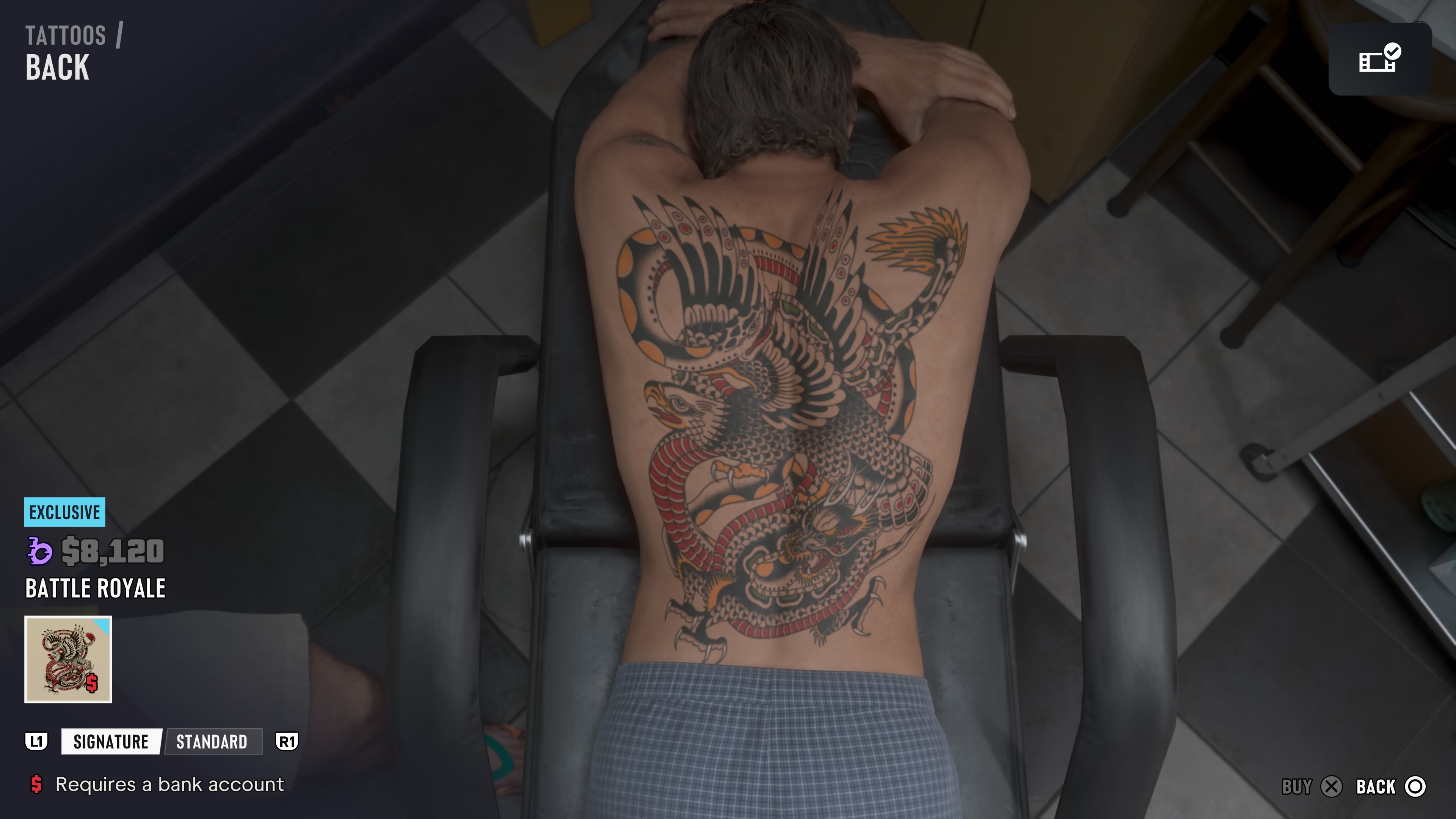
Visit The Inked Mermaid, sit in the tattoo chair and choose a body area and design. Not applied is a preview before purchase. Reselect an Applied design to inspect Remove Tattoo. Playbook's PS5 Paradise capture offers removal for $250; that is the offer in that particular capture.
Read the full answer & sources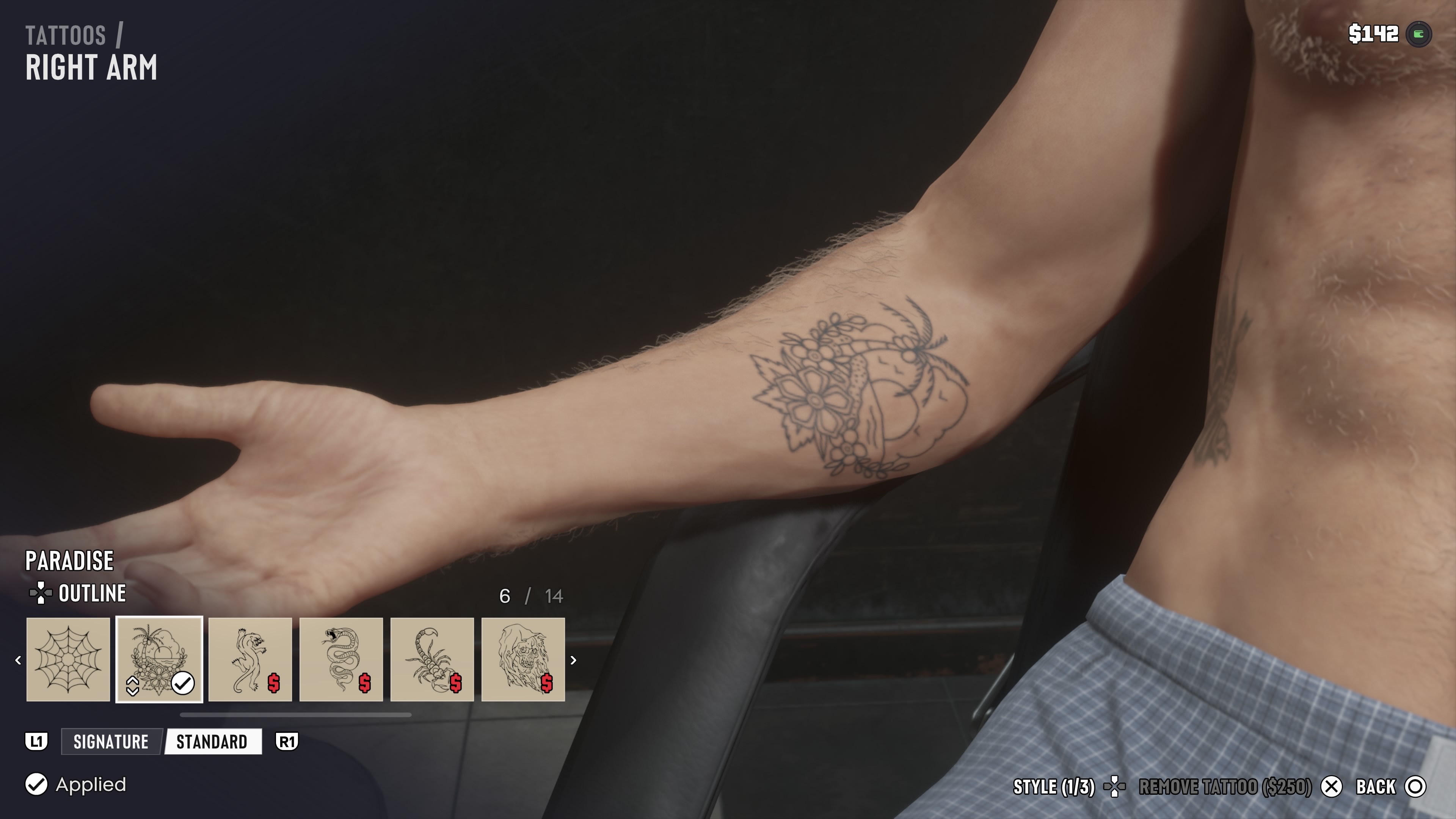
Where do I find missed calls, messages and reminders in GTA 6?ReportedChecked
On the recorded PS5 layout, press D-pad Up to open the phone, then Square for Reminders. Select an alert with X and follow the action listed beneath it. Contacts and WhatUp handle calls and messages respectively.
Read the full answer & sources
How do I reopen GTA 6 tutorials after a help prompt disappears?ReportedChecked
Open the pause menu and choose Help. On the recorded PS5 layout, use L1/R1 to switch categories and select a topic on the left. When Scroll appears, use the right stick to read further; Circle goes back.
Read the full answer & sourcesVehicles
12 questionsHow do I buy cars in GTA 6, and is there a complete price list?Not verifiedChecked
We have not verified a universal car-buying procedure or complete price list. Purchase prices remain unknown across our 24 vehicle catalog records, which include officially named vehicles, reported captures and unconfirmed identifications. That is a catalog count, not the game's total. Open an individual vehicle to check its documented acquisition route and sources.
Read the full answer & sources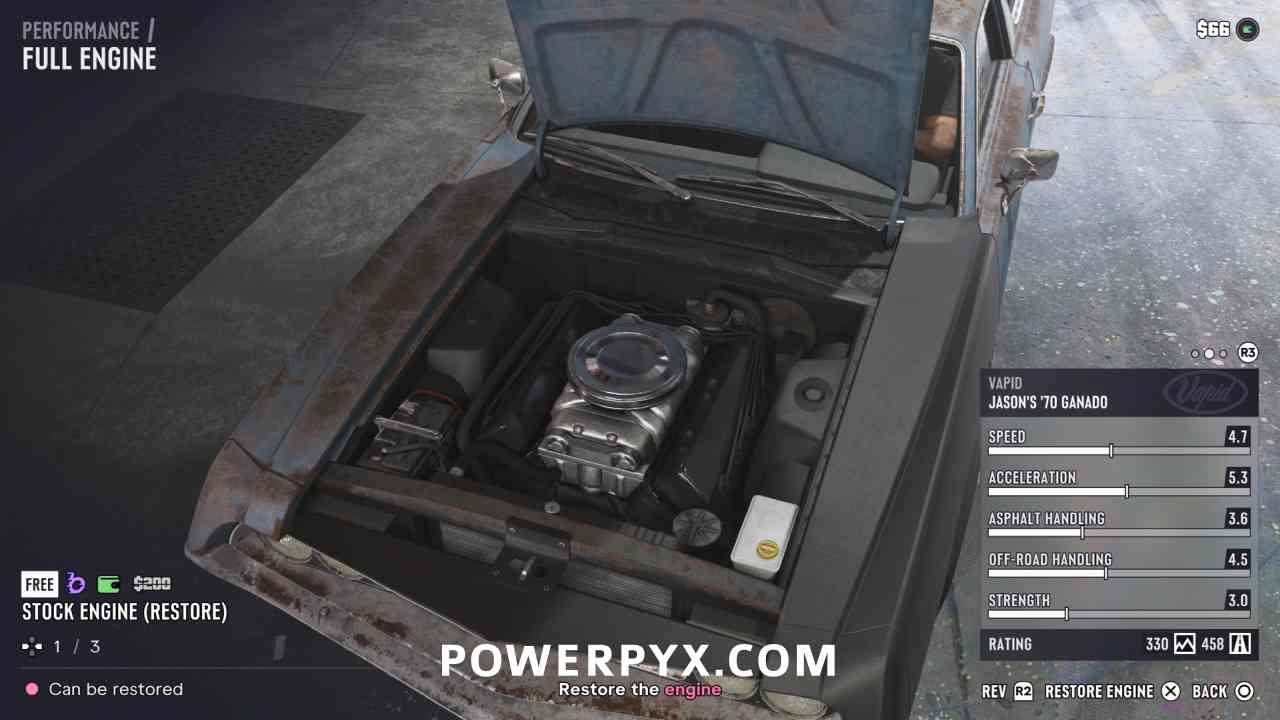
What is the fastest car in GTA 6?Not verifiedChecked
We do not currently have verified GTA 6 top-speed tests that support naming a fastest car. The Ganado's displayed Speed 4.7 is a rating in a specific restoration menu, with no mph or km/h unit. It cannot be converted into top speed or ranked alongside GTA V or Online test results.
Read the full answer & sourcesAre sale value, registration cost and repair offers vehicle purchase prices?ReportedChecked
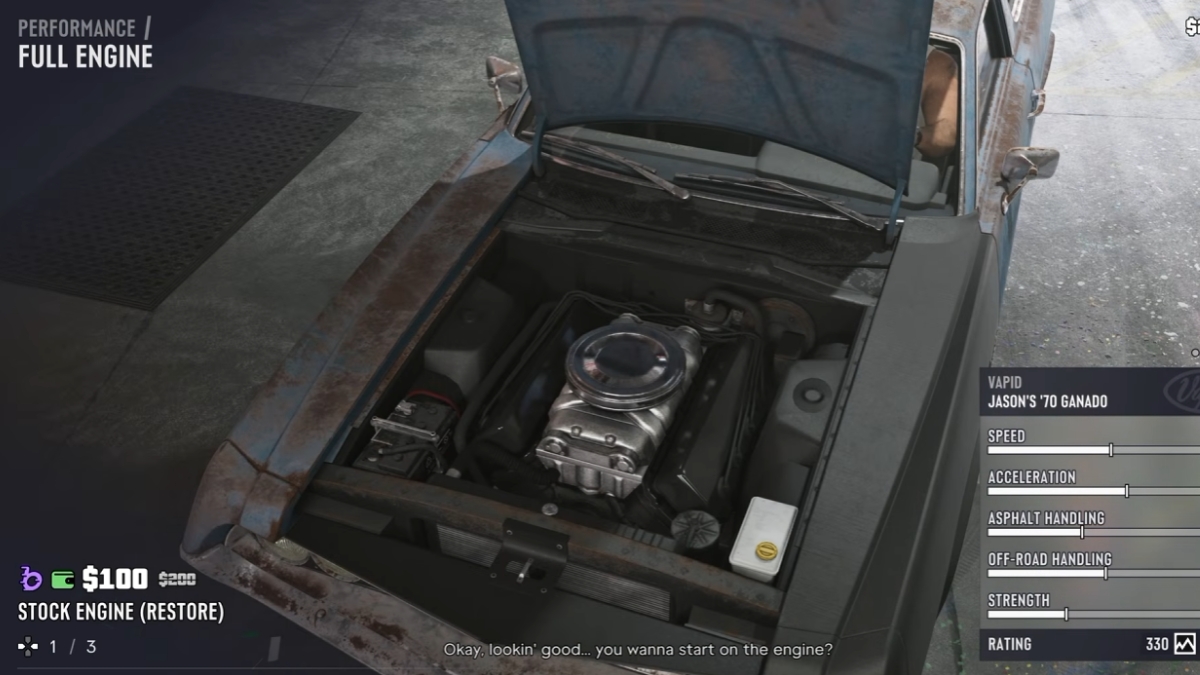
These amounts describe different transactions. The reviewed Jugular player capture labels $9,650 as SELL VALUE and $28,550 as COST TO REGISTER. The Ganado menu instead offers an engine restoration. None of those labels establishes the vehicle's purchase price, a completed transaction, or a fee that applies to every example of the model.
Read the full answer & sources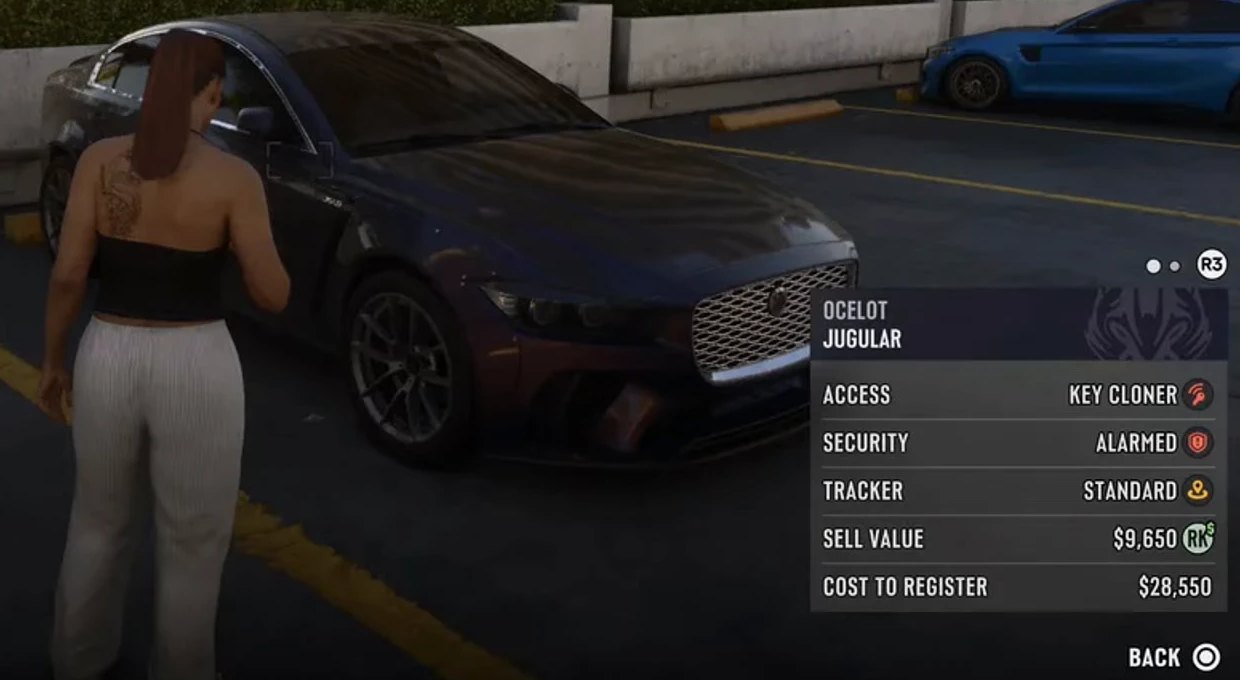
Do vehicle records and map markers guarantee fixed spawns?ReportedChecked
No. A vehicle's map association, promotional backdrop or single roadside capture does not establish a repeatable spawn. Some bonus vehicles have explicitly attributed chapter and collection-location reports. Those entitlement-dependent claim instructions must be distinguished from ordinary street spawns, exact coordinates and a guarantee that the vehicle will appear on every visit.
Read the full answer & sourcesWhich vehicles come with Ultimate Edition, and can every account claim them free?Official sourcesChecked
Rockstar's edition material checked November 19 lists Ganado Retro Build modifications, the '95 Grotti Cheetah, '67 Dominator Buggy, Dinka Enduro, Shitzu Squalo and Crest Kayak. Access depends on the relevant entitlement and item conditions; this does not promise immediate free collection for every account. The '55 Stanier belongs to the separately conditioned Vintage Vice City Pack.
Read the full answer & sourcesWhy can I smash a car window in GTA 6 but still not start it?ReportedChecked
Getting inside does not bypass the ignition system. A player capture preserved by Playbook explicitly says the character cannot currently start keyless vehicles after entry. Smashing a window does not remove that restriction.
Read the full answer & sourcesHow do I repair the Ganado in GTA 6, and what does calling Joey do?ReportedChecked
For the Ganado repair in Just a Scratch, visit Coastal Auto Care and choose Stock Engine (Restore). Separately, Playbook's captures show a Ganado repair-complete notice following a call with Joey.
Read the full answer & sourcesHow do I refuel a car in GTA 6?ReportedChecked
Stop beside a gas pump, open Services, select Refuel and hold the button shown to fill up. Review the displayed quote before starting.
Read the full answer & sources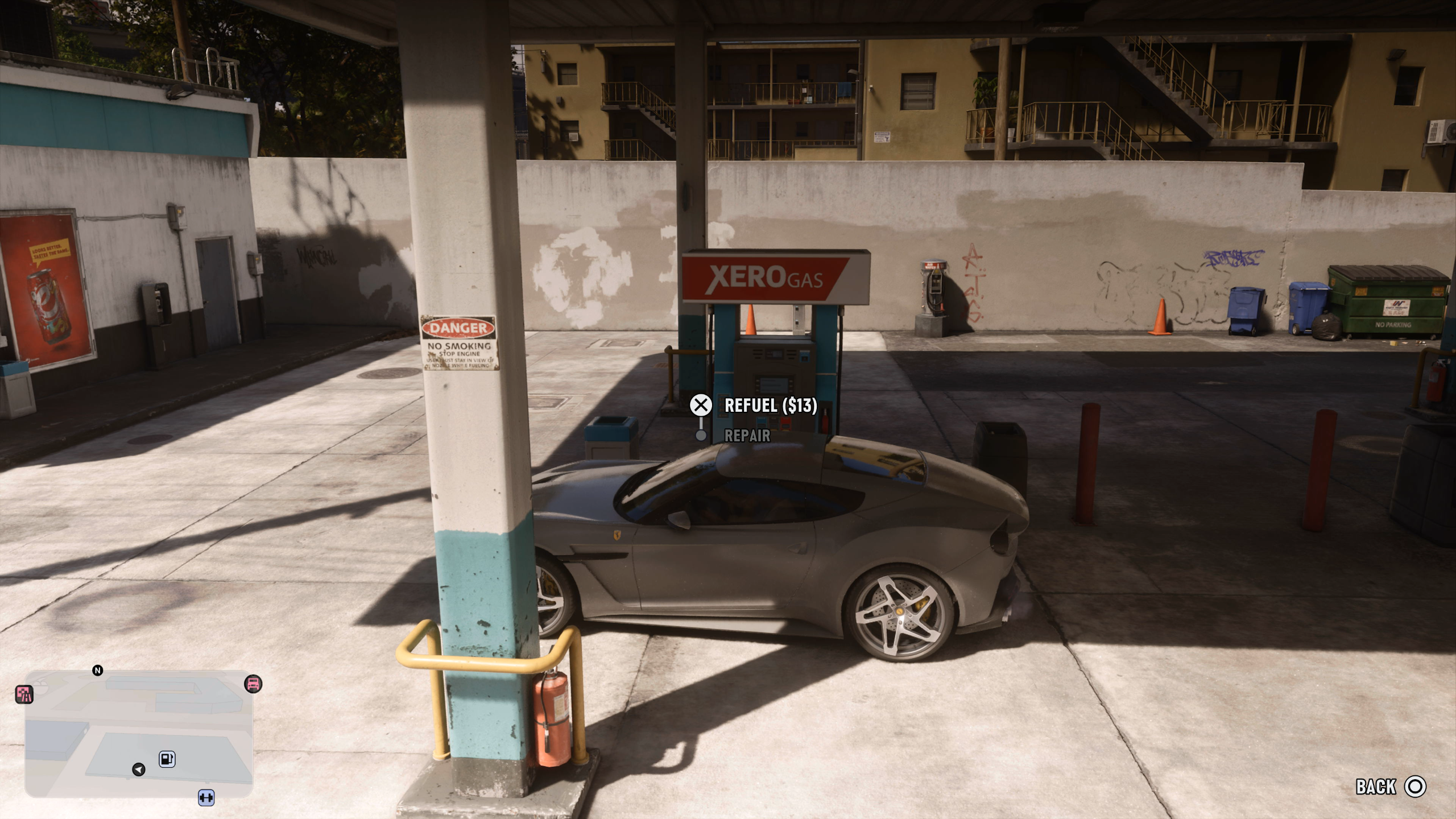
How do I charge an electric car in GTA 6?ReportedChecked
Find an electric charging station on the map, park within interaction range and select Charge Vehicle. Review the cost and wait for charging to finish.
Read the full answer & sourcesHow do I scan a car's security with WAiNK in GTA 6?ReportedChecked
Hold D-pad Up to open WAiNK, aim at a vehicle and hold R1 on PS5 or RB on Xbox to scan. Read Access, Security and Tracker separately.
Read the full answer & sourcesHow do I request or recover my personal vehicle in GTA 6?ReportedChecked
Open ScooterBros on your phone, choose your registered vehicle and review Request before confirming. The guide also describes recovering lost or destroyed personal vehicles through this service.
Read the full answer & sources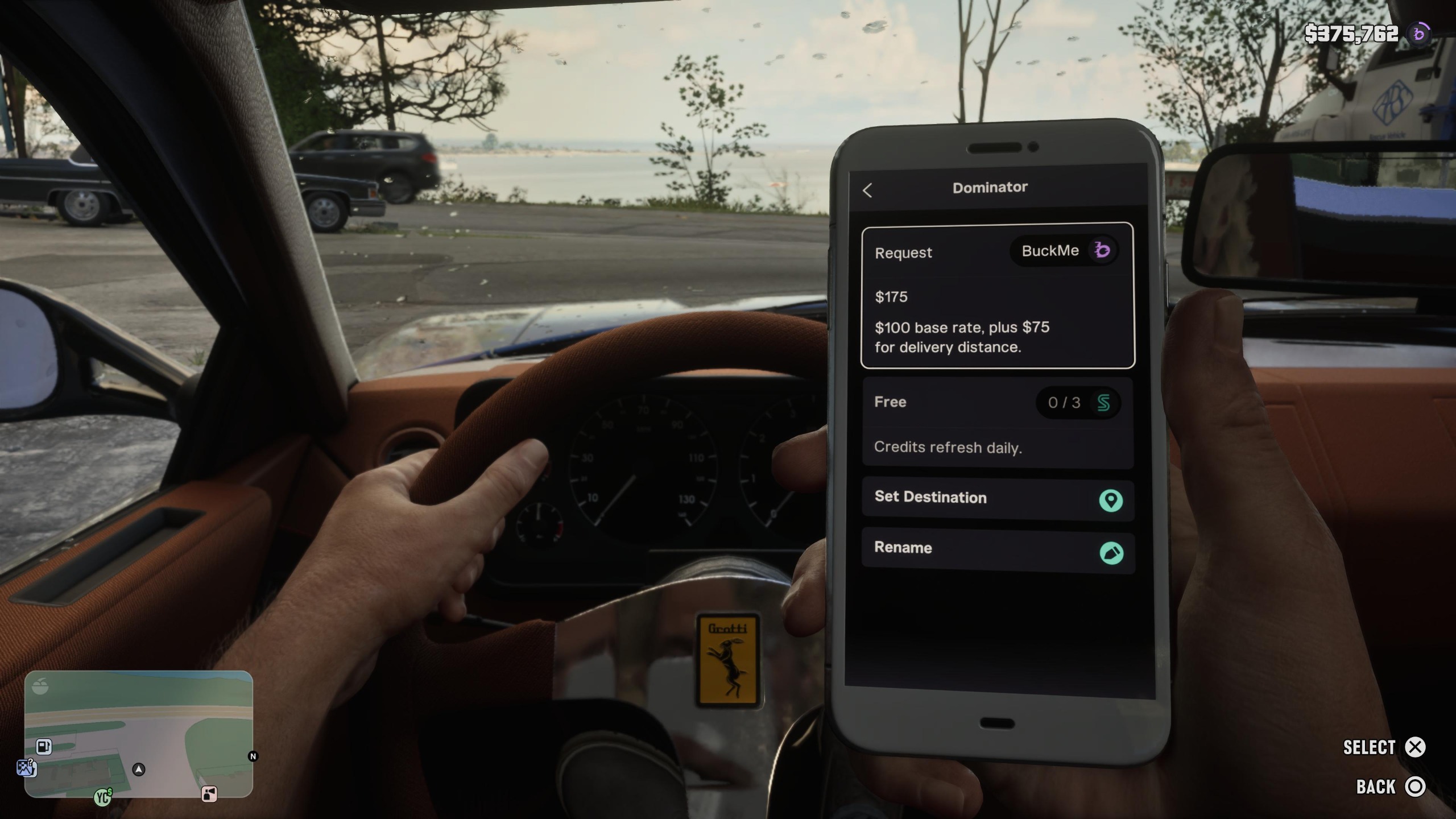
How do I recover an impounded personal vehicle in GTA 6?ReportedChecked
Locate the vehicle under Personal in the map index. GamesRadar describes paid recovery through ScooterBros or going to the impound lot to steal it back.
Read the full answer & sourcesWeapons
8 questionsHow much do GTA 6 weapons cost, and are screenshot prices universal?ReportedChecked
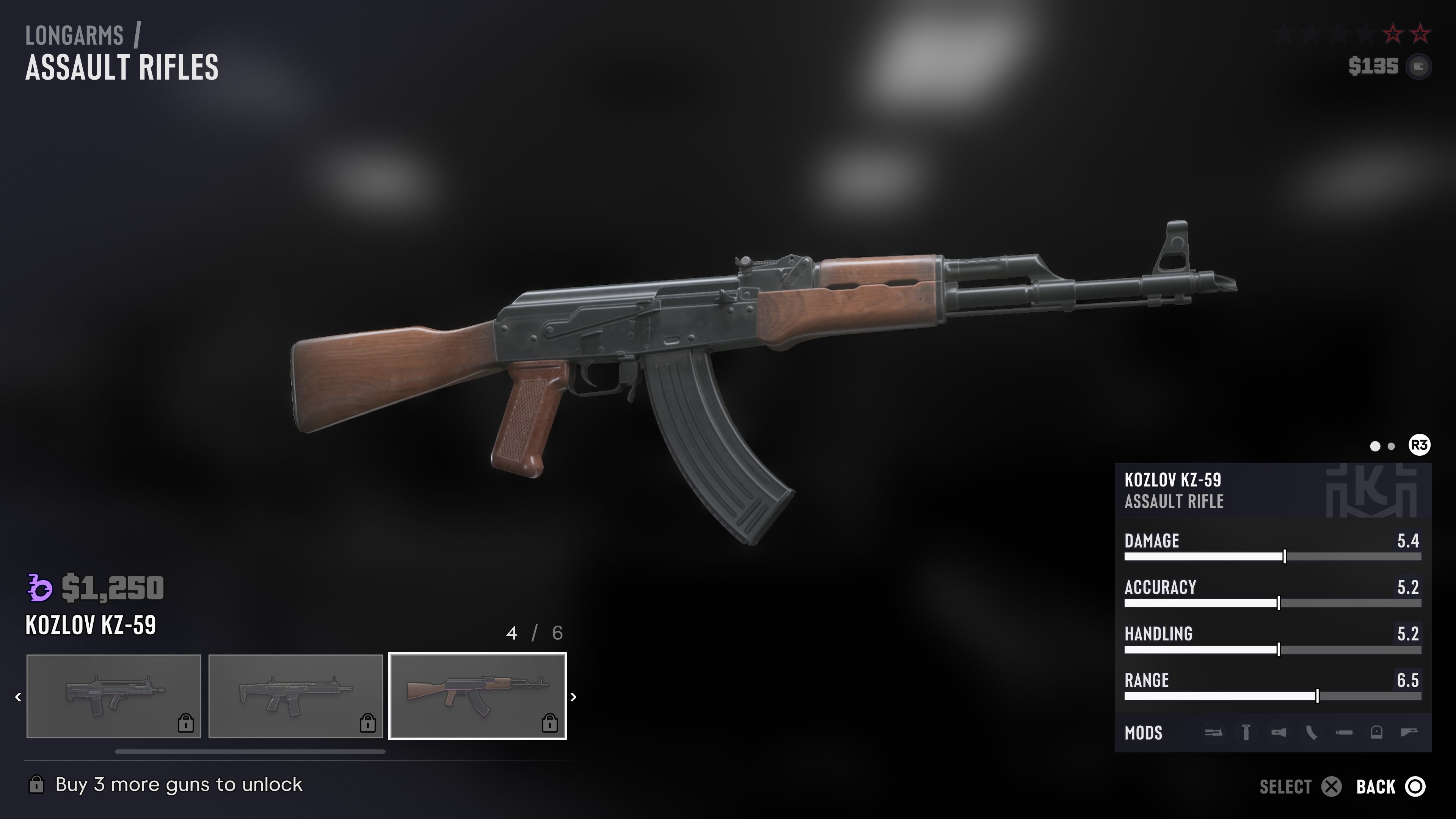
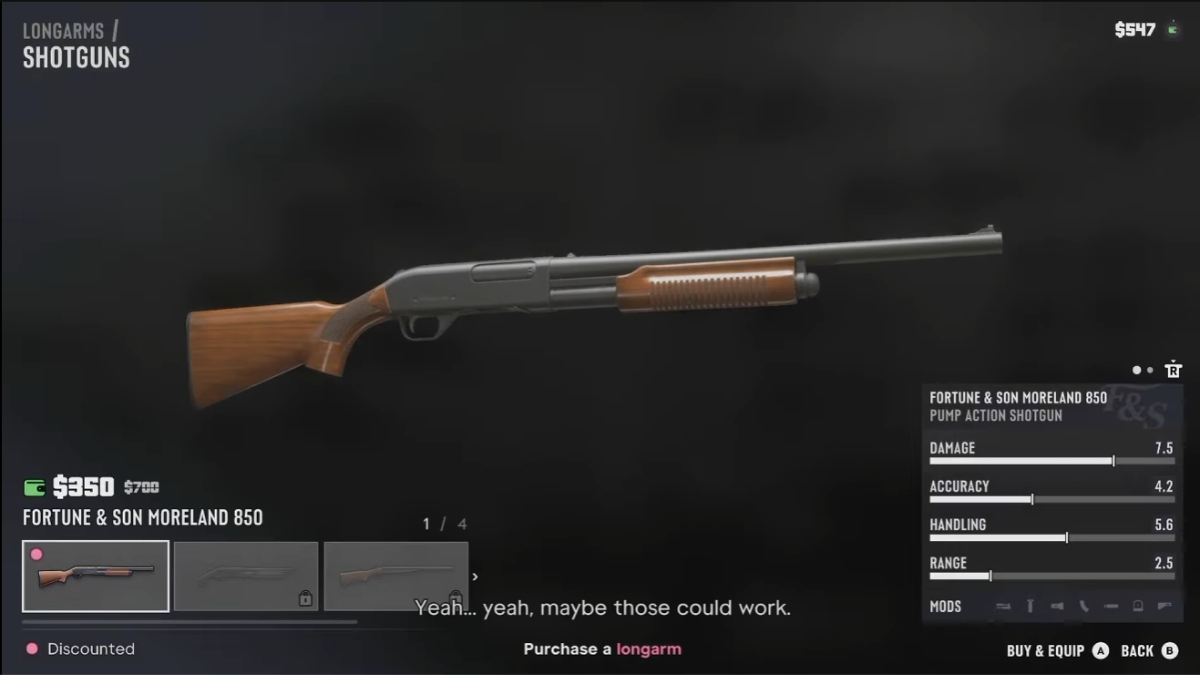
Readable originals support specific offers, including $975 for a Klose K17 and $1,250 for a Kozlov KZ-59. Each belongs to the captured listing and restrictions, rather than a universal price. Our 24 weapon catalog records include variants, a finish and unidentified entries; they are neither the game's firearm total nor a complete universal price list.
Read the full answer & sources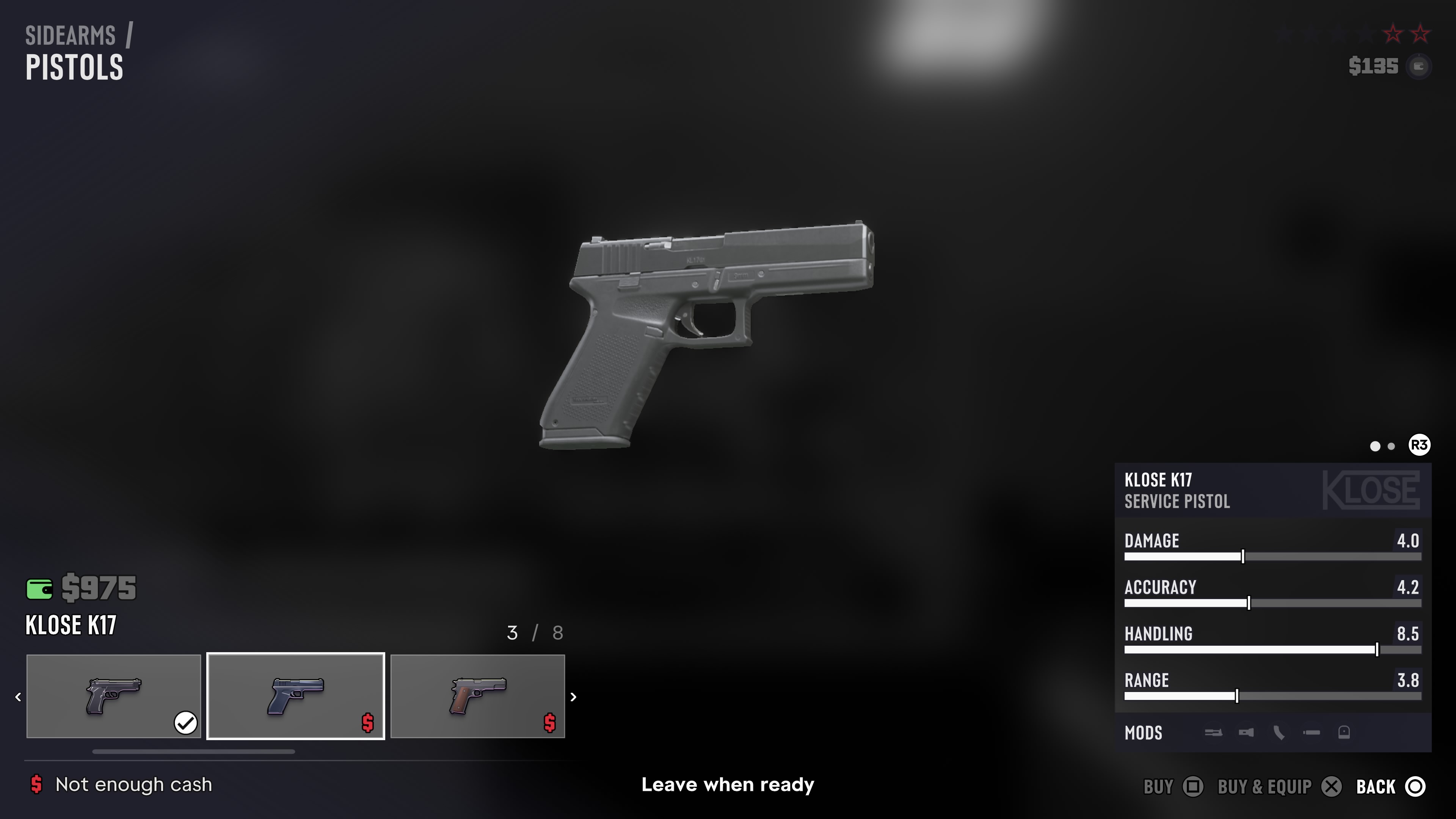
Do weapons require a bank account, and does the purple symbol prove it?ReportedChecked
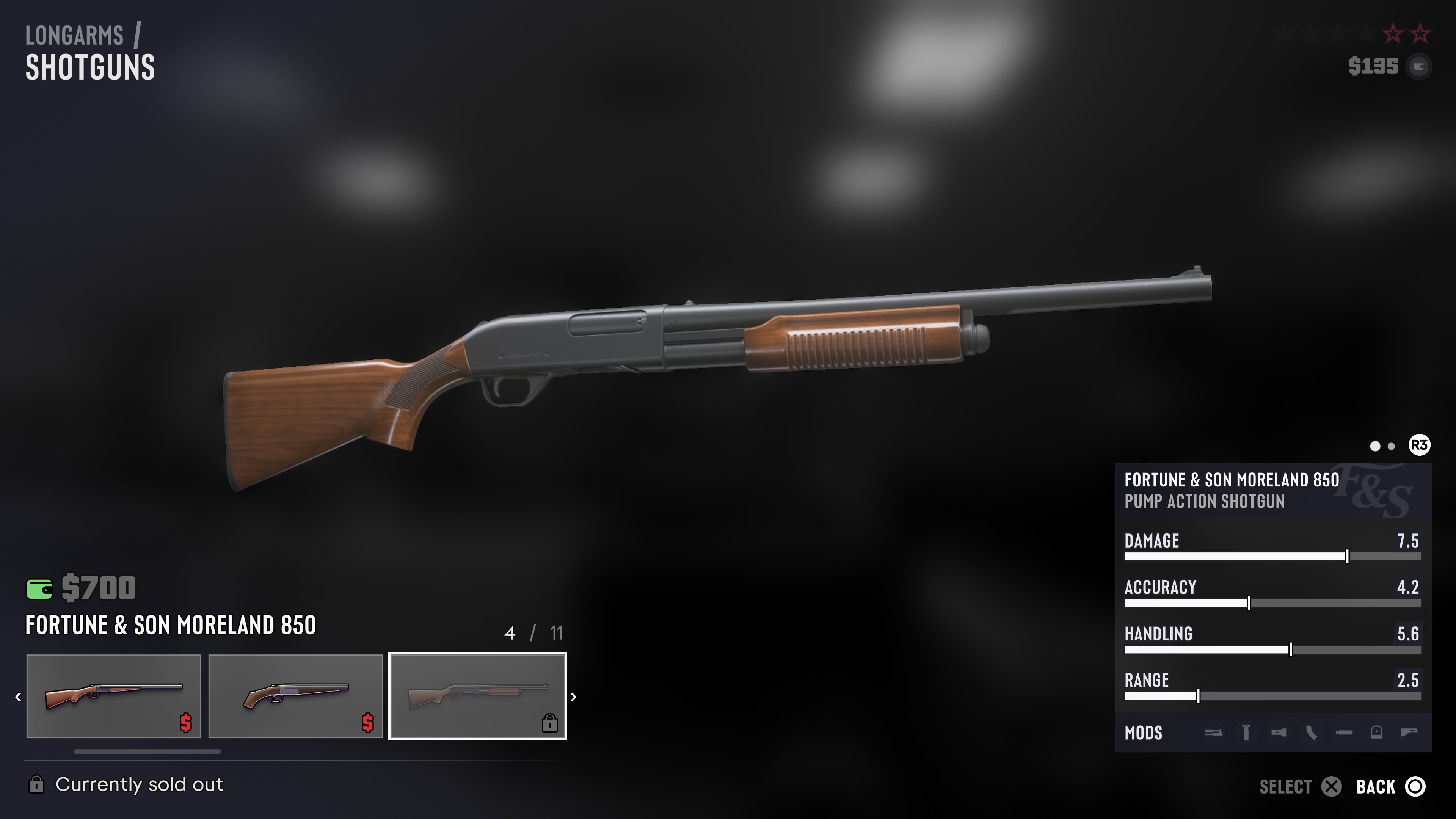
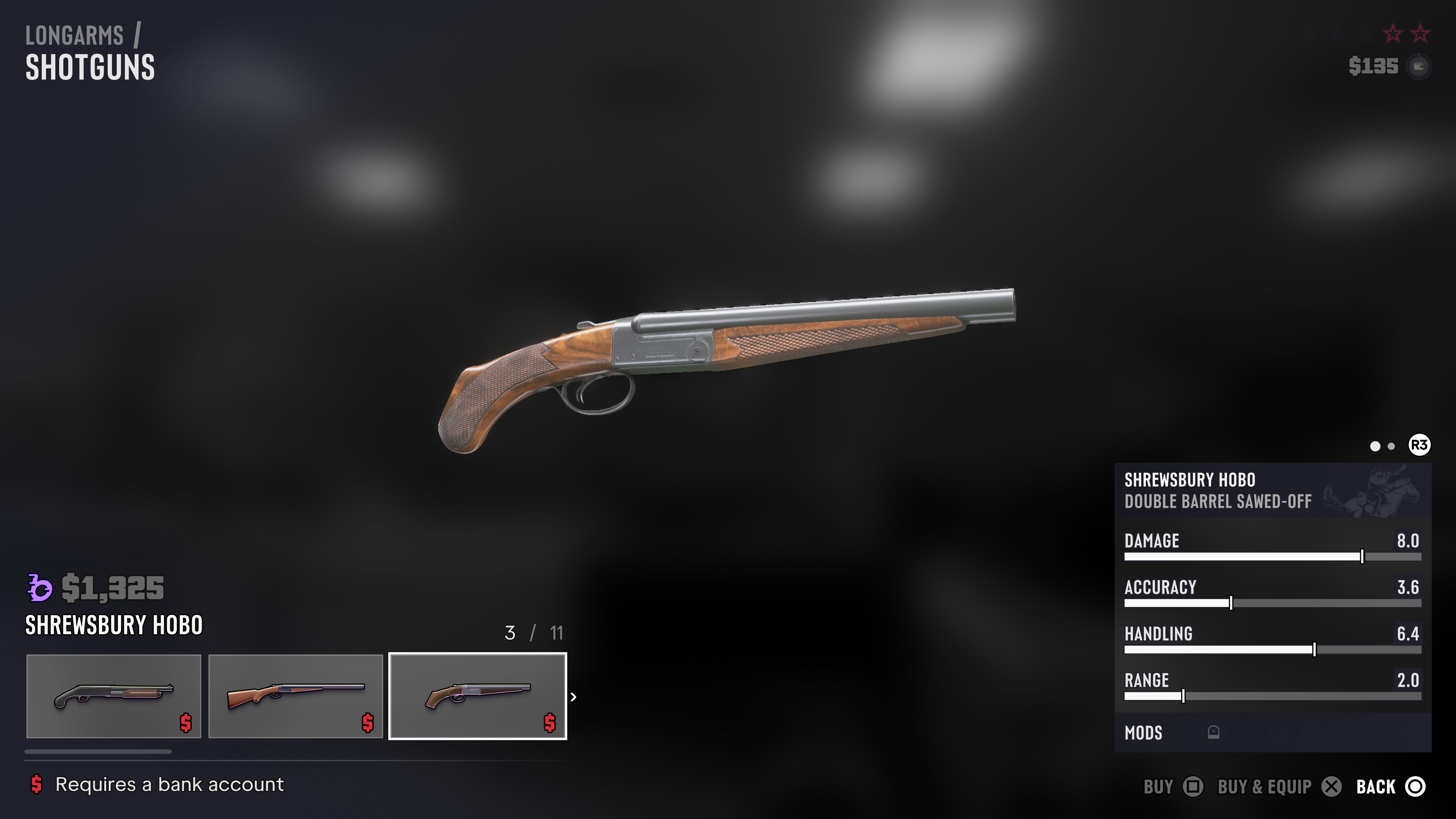
An explicit menu message supports the requirements we record. Originals for Duke 556, Shrewsbury Hobo and Wortham W-14 say Requires a bank account. That does not establish the requirement for every weapon or for another listing solely because it uses a purple symbol. These stills do not establish an account-opening or unlock procedure.
Read the full answer & sources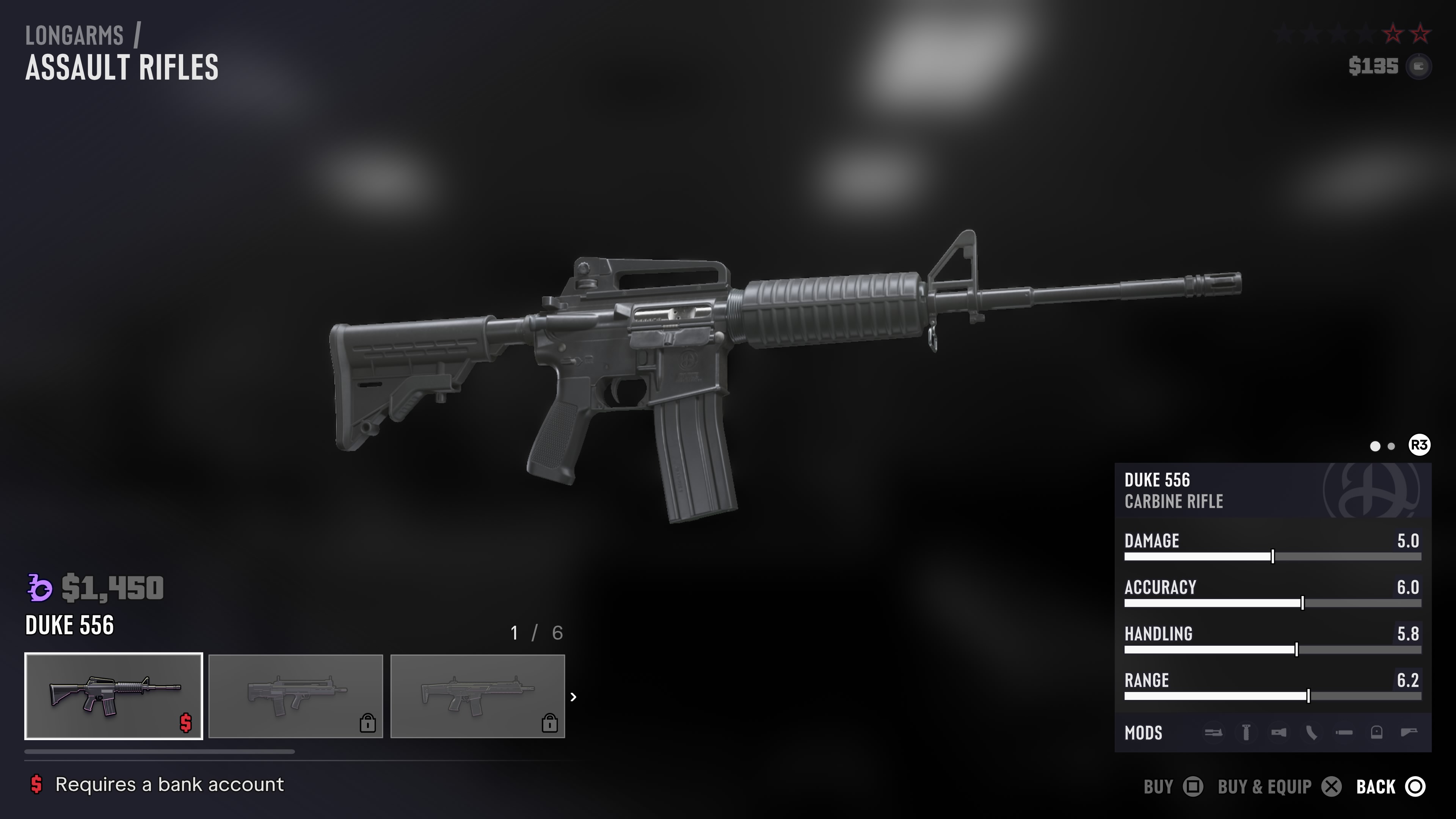
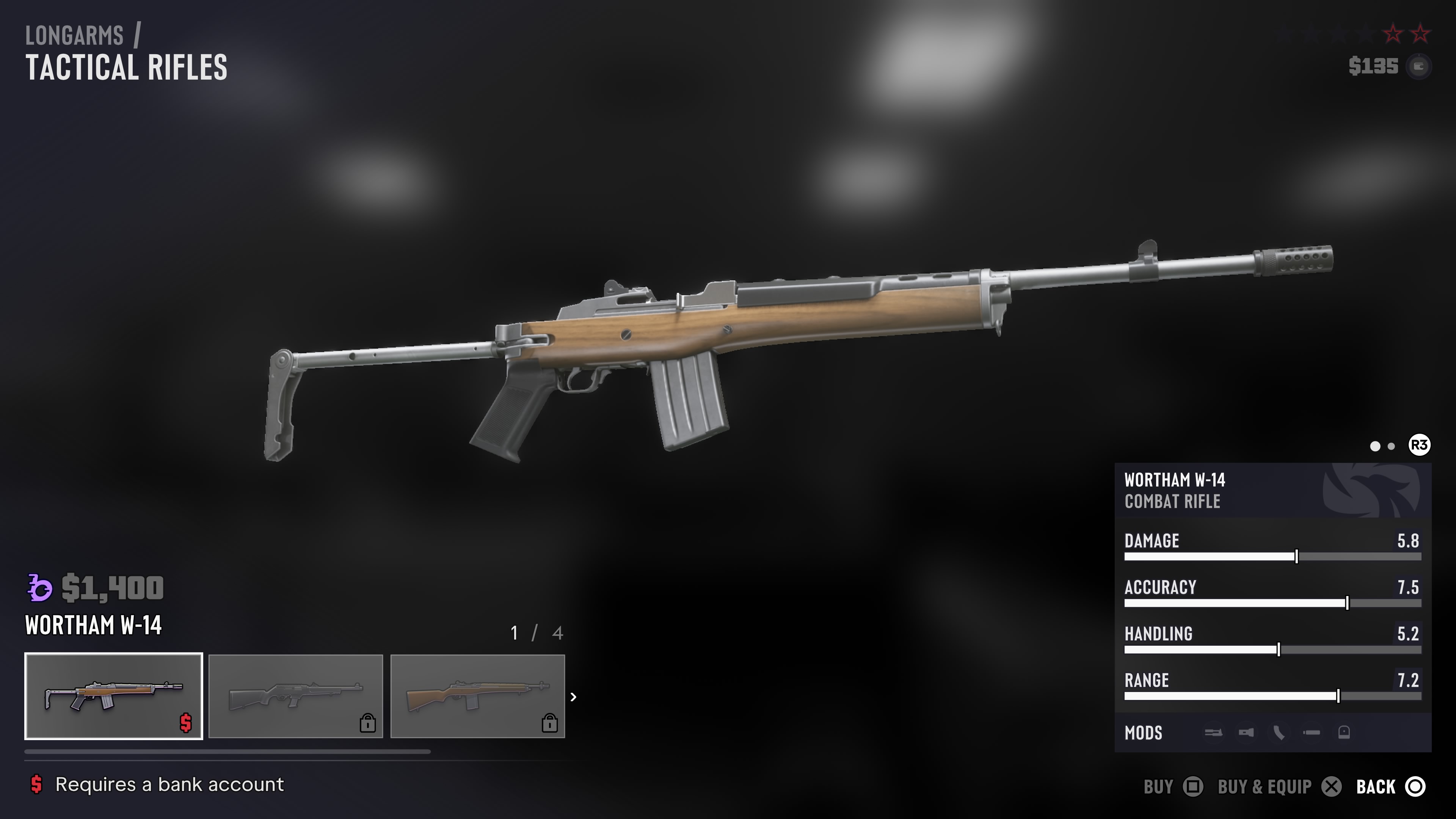
Does Buy 3 / 5 more guns to unlock mean a lifetime purchase threshold?ReportedChecked
The messages describe three or five additional guns required in the displayed save. They do not establish a fixed lifetime total from zero. Reviewed originals show three more for KZ-59 and five more for Hawk & Little .38. Which purchases count, whether shops share the count, and any other prerequisites remain unverified.
Read the full answer & sources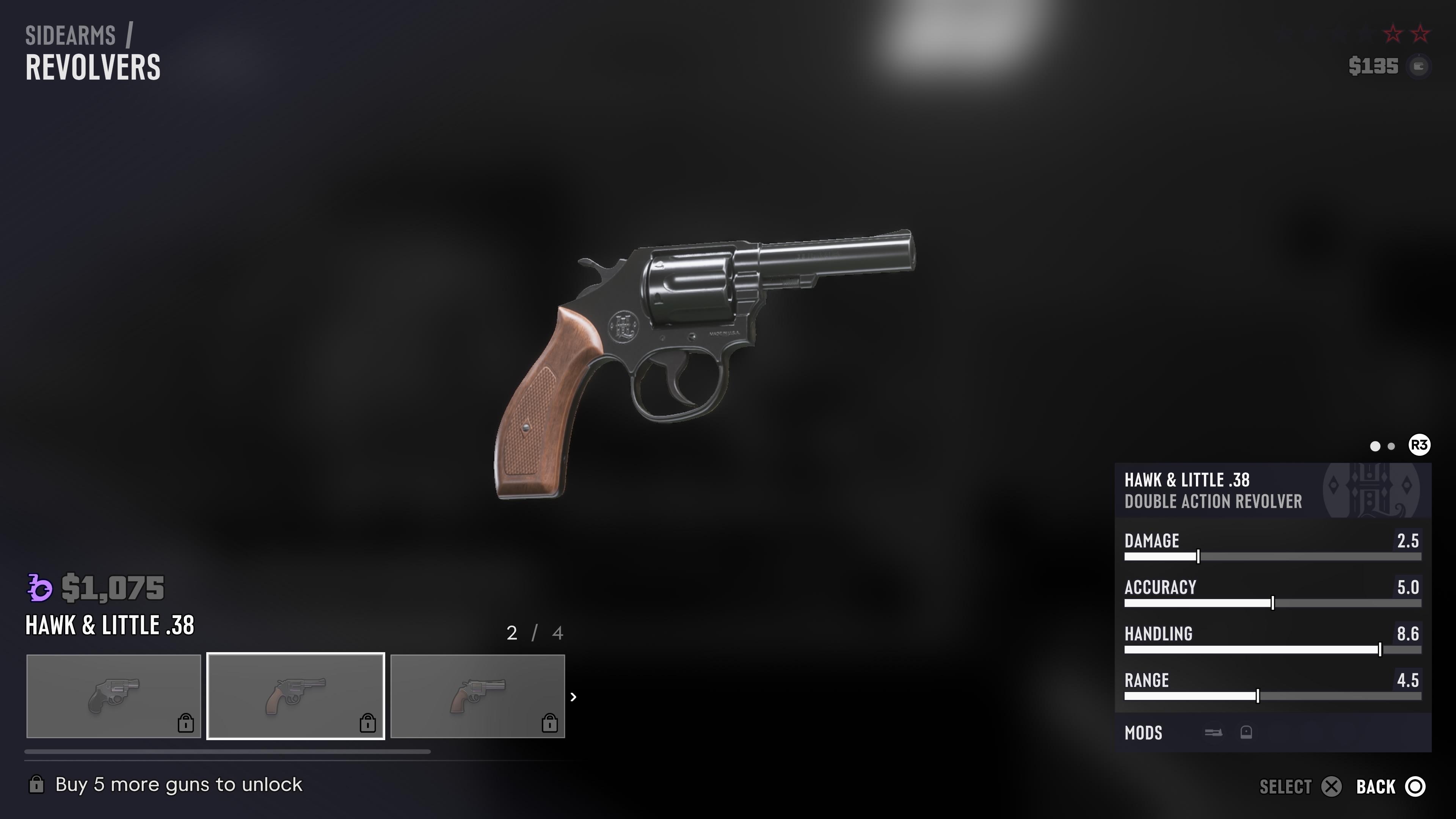
Are weapon-menu DAMAGE values actual damage or time to kill?Not verifiedChecked
No such conversion is established. A menu's DAMAGE number and bar do not demonstrate health lost per shot, DPS, shots to kill or time to kill. We currently have no accepted controlled damage test, so physical damage, fire rate and range remain unknown in our weapon records. Earlier-game statistics cannot substitute for GTA 6 measurements.
Read the full answer & sources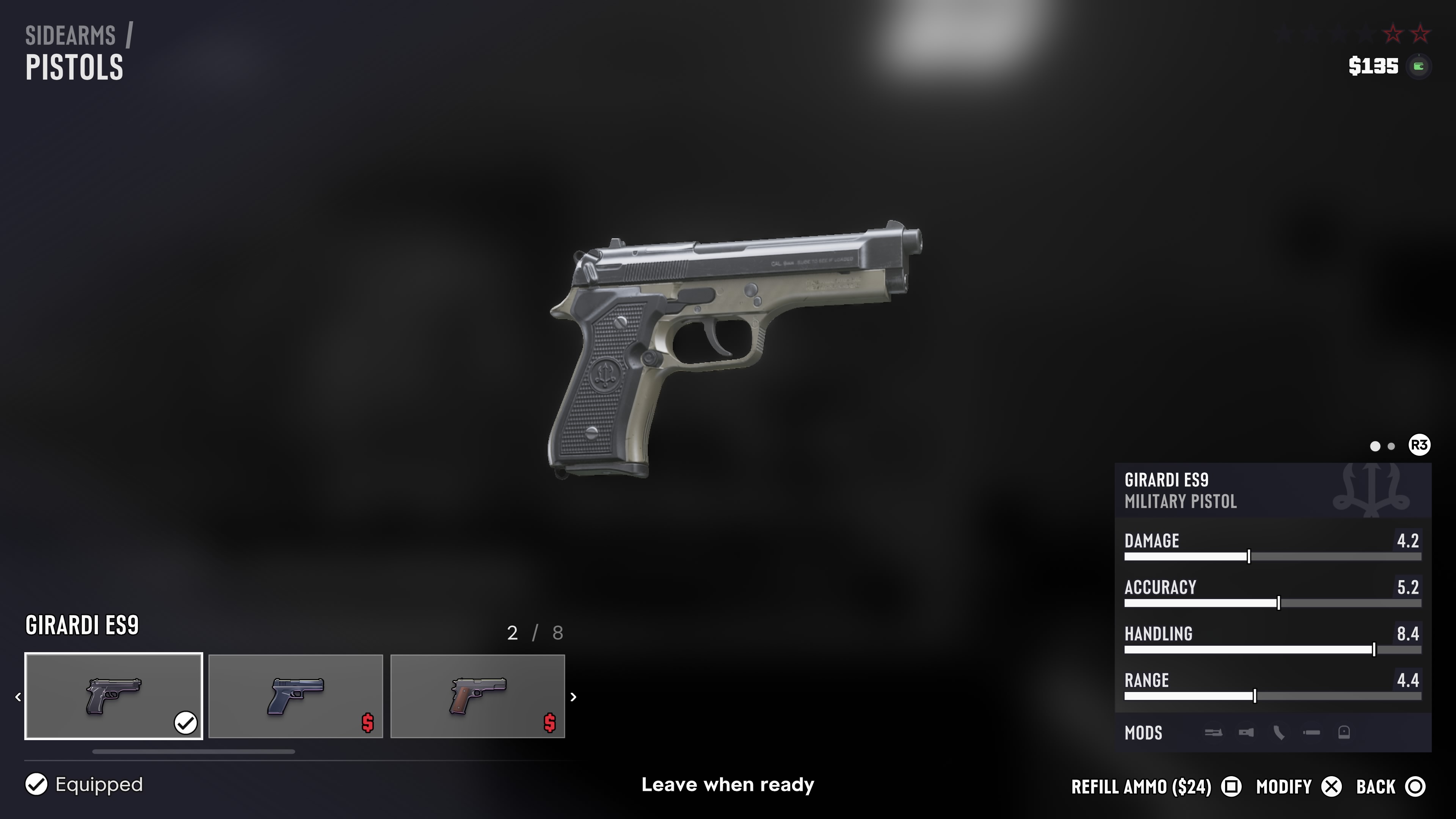
Why can a reward cost $0 to claim while a similarly named gun has a shop price?ReportedChecked
A $0 claim charge refers to an entitled reward action, not the base firearm's universal price. GamesRadar+ reports no additional in-game charge for the Ultimate engraved ES9 and K17 rewards. The ordinary K17's captured $975 offer and the ES9 Tempête de sable variant's $1,470 offer describe separate listings and must remain separate.
Read the full answer & sources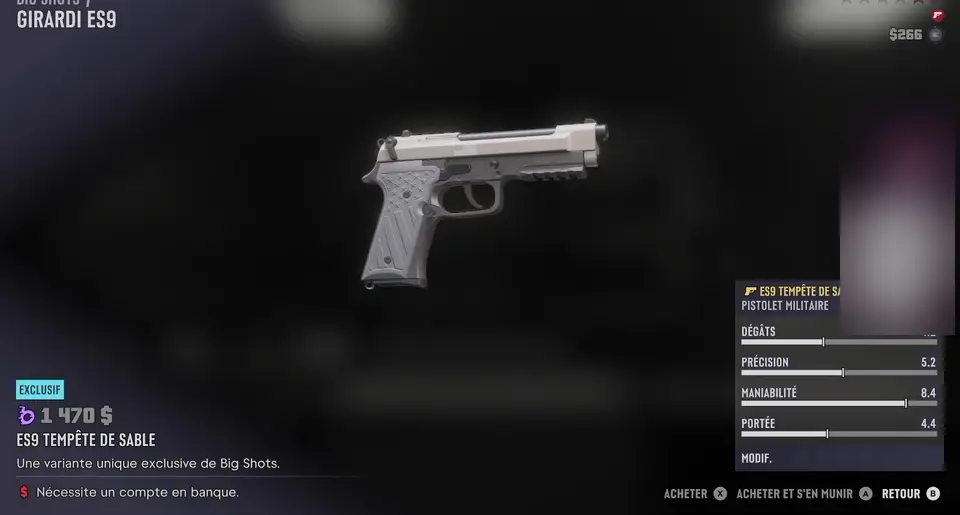
How many guns can I carry in GTA 6, and how do I holster or store them?ReportedChecked
TotalGTA's launch guide documents two concealed handguns and two visible long guns per lead, one long gun on the back and one in hand. Store the rest in a car trunk or Ammu-Nation weapon locker.
Read the full answer & sourcesHow do I equip body armor in GTA 6 and replace it when depleted?ReportedChecked
Buy body armor at Ammu-Nation, hold L1 / LB, press R1 / RB for Items, then select the armor and press X / A to turn it on. A blue bar above health shows it is active. Find or buy a new vest when it is depleted.
Read the full answer & sourcesWhere do I buy ammo packs in GTA 6, and how do I use them?ReportedChecked
Buy an Ammo Pack at Ammu-Nation; purchased packs go to your personal vehicle's trunk. Open your own car's trunk loadout and take a pack to replenish ammunition for your equipped weapons.
Read the full answer & sourcesMap
4 questionsWhere can I download Rockstar's official GTA 6 map?Official sourcesChecked
Our map page links directly to Rockstar's official printable Leonida map ZIP, checked November 20. It contains a JPG and is approximately 45 MB. Alternatively, open Leonida Map & Cover Art Poster → View Options on Rockstar's media page, then choose Leonida Map - Printable. Other screen formats are listed there separately.
Read the full answer & sourcesIs GTA6Data's interactive map an official Rockstar map?Site featureChecked
The interactive map combines community cartography, place records and this site's tools, using YANIS / gta6map.github.io material. It is separate from Rockstar's official printable map. The official download is labeled explicitly, and reviewed place cards distinguish names checked on the poster from marker associations and positions that still need review.
Read the full answer & sourcesDoes Name on official map verify a marker's coordinates?Site featureChecked
No. Name on official map verifies a printed label, without independently aligning an inherited marker to that poster. All interactive marker positions still need review. A community real-world counterpart label is also separate from Rockstar-confirmed game coordinates. Read each reviewed card's grid reference, feature association and positional limits before relying on it.
Read the full answer & sourcesHow do I study animals and check the wildlife log in GTA 6?ReportedChecked
Equip binoculars from the wheel, zoom with D-pad Up and aim at an animal. Hold R1 (RB on Xbox) on the Study prompt until the ring fills, then check Progress > Animals. A rifle scope also works; studying does not require a kill.
Read the full answer & sources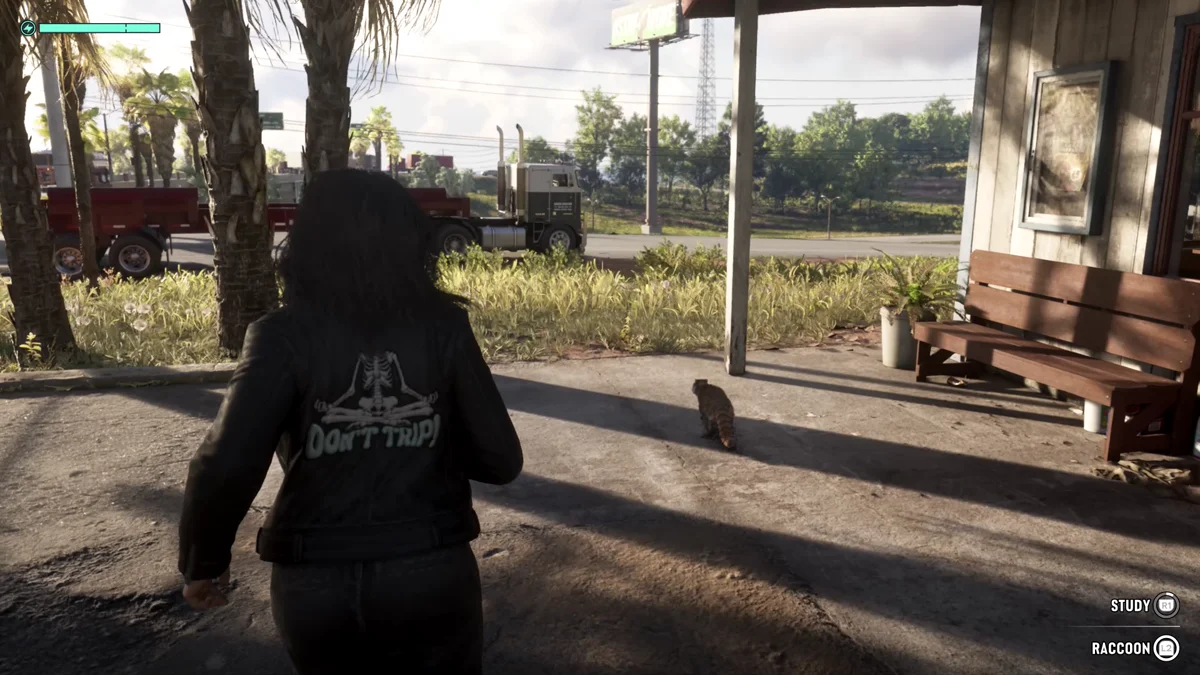
Site tools
3 questionsHow are map bookmarks and discoveries saved, and do they sync?Site featureChecked
Press Save or Mark discovered in a map card to store that state in the current browser's site storage; press again to undo it. The two sets are independent and do not connect to Rockstar or console accounts. There is no account sync, import/export or full-list sharing, and another device cannot automatically recover those marks.
Read the full answer & sourcesHow do I compare vehicles or weapons, and is data coverage a performance score?Site featureChecked
Open the vehicle or weapon comparison page and use the A/B dropdowns to choose two records from that category. The table aligns recorded attributes and evidence labels. Data coverage counts usable information in a predefined field set; it does not score speed, damage or desirability, turn unknown values into zero, or automatically identify the best item.
Read the full answer & sourcesDoes the completion tracker read my save file or sync official 100% progress?Site featureChecked
No. The completion tracker is a manual site checklist grouped into exploration, activities, vehicles and characters, with checks saved in your browser. It does not read a GTA 6 save, Rockstar account, trophies or achievements, and it is not the official 100% requirement list. Its percentage describes checked items in the current site checklist.
Read the full answer & sources