
Your next move.
From a game that won't start to your next map stop. Find a problem. Pick a topic. Keep moving.
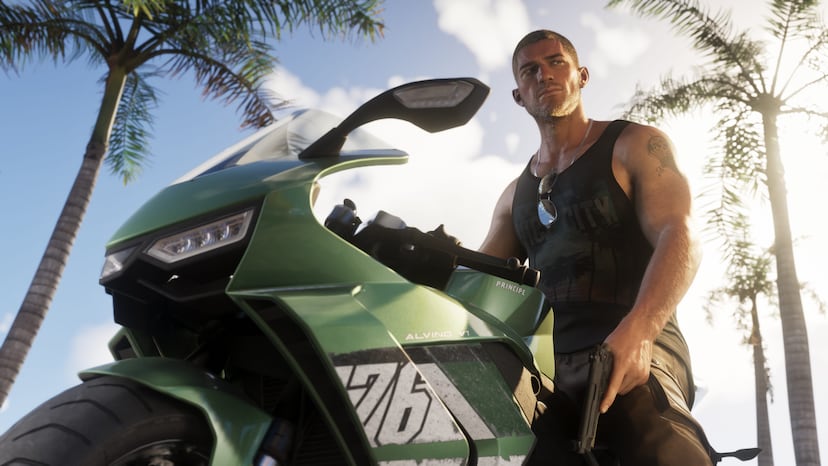
Can't get in?
Start with your account, license and installation.

Find your controls.
Check bindings and set up your console and controller.
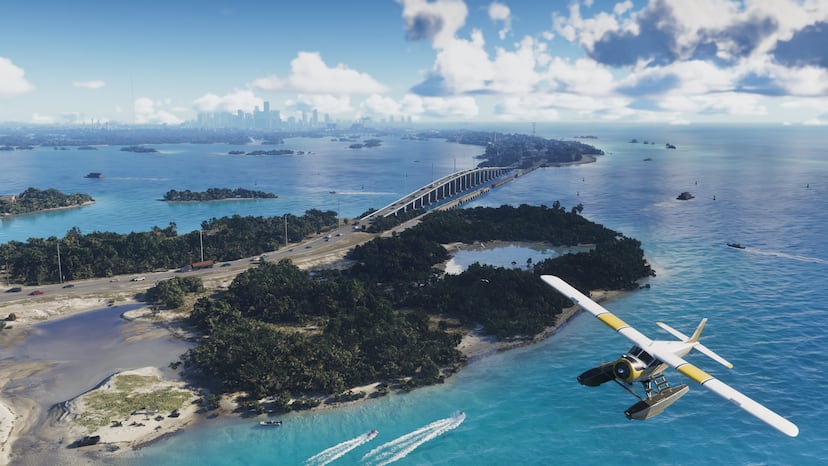
Pick your next stop.
Filter places on the map and keep your own progress.
Console guides reference official platform support. Map and progress guides explain our tools. Each article states its scope and sources.
GTA 6 launch-day checklist: install, unlock and start safely
Check the installation, account and release time before your first session.
Leonida's six regions: a guide to planning your exploration
Get to know six destinations featured by Rockstar, then plan your own map stops.
Leonida Keys exploration: find your bearings before choosing a route
Plan an island visit from official place and character information, without assuming an opening mission route.
GTA 6 vehicle customization: what to check before spending
Separate vehicle records, customization kits and location research from the options actually available in your game.
A four-stage GTA 6 completion plan for your own checklist
Organize exploration and personal notes without treating a community checklist as the official 100% requirement.
GTA 6 will not launch: identify the failing step
Separate license, installation and crash problems while preserving saves.
GTA 6 still shows locked or not playable yet
Check store availability, order status and account licenses separately.
What to check when GTA 6 has a PS5 padlock
Identify the owner before restoring licenses or reviewing family settings.
Xbox says you do not own GTA 6: check the owner and license
Check the installed files and purchasing account as separate things.
GTA 6 pre-order is missing from your library
Trace the receipt to the account, order status and correct product page.
GTA 6 shows the wrong edition: check the bundle and add-ons
The installed game tile may not describe every item in a purchase.
How to redeem a GTA 6 game or bonus code
Verify platform, region and recipient account before confirming redemption.
GTA 6 code is invalid, already used or region restricted
Use the exact error to decide whether the seller or platform should help.
GTA 6 purchase bonus missing: an entitlement checklist
Prove eligibility from the order, then check how the item is delivered.
GTA 6 bonus vehicles: what to verify before trying to claim
Verify the named reward and official instructions before searching for a vehicle.
Restore the PS5 license for GTA 6
Refresh access when purchased content appears locked or missing.
GTA 6 and home Xbox: check sharing and offline access
Have the purchaser inspect the console designation while players keep their own profiles.
PS5 Console Sharing and Offline Play for GTA 6
Check shared access on the household console while keeping separate player profiles.
GTA 6 disc not recognized: distinguish disc and drive problems
Use careful cleaning, correct insertion and a comparison disc to narrow the cause.
GTA 6 installed from disc: why access can still require the disc
Separate installed game files, the physical disc and a digital purchase.
GTA 6 order is pending or payment is processing
Use the seller order record to decide what to do next.
GTA 6 appears to have been charged twice
Match each bank entry to an order and purchasing account.
How to request a PlayStation Store refund for GTA 6
Check region, download status and the order before submitting a request.
How to request an Xbox digital refund for GTA 6
Use the purchasing account and submit the correct order through the official flow.
Family account cannot open GTA 6: identify the restriction
Separate age restrictions, spending limits, playtime and shared ownership.
Console checks before attempting GTA 6 offline play
Prepare installation and platform access, then verify the game connectivity requirements.
How to check Rockstar account links for GTA 6
Verify both account identities before using the official Connections page.
Which service status pages to check for GTA 6 access problems
Check platform sign-in, store access and publisher services separately.
GTA 6 crashes on startup: a controlled troubleshooting sequence
Record the crash point and separate license or installation failures from a running-game crash.
GTA 6 freezes or crashes during play: narrow the cause
Distinguish a brief stall, a reproducible game failure and console instability.
GTA 6 save will not load: protect the available copies first
Verify the profile, game version and synchronization direction before restoring a copy.
Protect GTA 6 saves on PS5: cloud sync and USB backup
Understand synchronization and console backup before choosing a restore operation.
Xbox save synchronization and conflicts for GTA 6
Let the device with the latest progress synchronize before switching consoles.
How to submit a reproducible GTA 6 bug report
Give support the version, shortest steps and observed result.
GTA 6 download not starting: find the missing queue item
Check the library, purchasing account, and destination console before retrying.
GTA 6 download stuck: identify which stage stopped
Compare actual progress before resuming, restarting, or replacing the download.
GTA 6 slow download: measure the bottleneck
Check household traffic, Wi-Fi, running games, and delivery speed separately.
GTA 6 installation stopped on Xbox: inspect the failed job
Separate download, disc-read, and destination-storage failures and keep the error code.
GTA 6 in the PS5 download queue: find what is waiting
Inspect control-center jobs, earlier tasks, and the result of a local request.
GTA 6 disc versus digital installation: what uses storage
Understand installed files, network transfers, and the license needed to play.
How to check your installed GTA 6 version
Record the game build, platform, and update state without confusing system software with the game.
GTA 6 update not appearing: verify the platform and queue
Check manually before deciding that a patch is missing.
GTA 6 not enough storage: check the correct drive
Read the actual free-space requirement and choose a playable storage location.
Make room for GTA 6 on PS5: games, add-ons, and captures
Start with large recoverable items and protect saves and important captures.
Make room for GTA 6 on Xbox: inspect each storage device
Distinguish installations, add-ons, and saves before moving or uninstalling.
GTA 6 and PS5 M.2 storage: check compatibility first
Check the official interface, cooling, and physical requirements rather than capacity alone.
PS5 USB storage and GTA 6: archiving versus playing
Understand USB extended storage before using it to make room.
GTA 6 and Xbox expansion cards: identify the right device
Identify a Series X|S expansion card and check usable space and installation location.
Xbox USB storage and GTA 6: check playability before moving
USB archiving can avoid another download, while the console still determines playable storage.
Move GTA 6 on PS5: verify source, destination, and playability
Move installations between console, M.2, and USB storage while protecting saves separately.
Move GTA 6 on Xbox: choose move or copy carefully
Decide whether to retain the original installation and verify the destination can run it.
Download GTA 6 in PS5 rest mode: check both settings
Keep the console online and distinguish automatic downloads, installation, and remote wake.
GTA 6 downloads in Xbox Sleep mode: active hours matter
Check the selected power mode, background updates, and remote-install window.
Ethernet or Wi-Fi for GTA 6: run a fair comparison
Compare sustained speed on the same job rather than the broadband plan alone.
How to test your PS5 network before a GTA 6 download
Read connection-test results alongside the actual download behavior.
How to test Xbox connectivity and speed before downloading GTA 6
Check internet reachability, network statistics, and queue throughput separately.
Calculate GTA 6 download time from remaining data
Estimate a range from remaining bytes and sustained speed, then allow for installation.
GTA 6 update copying on PS5: separate transfer from installation
Use job status and space changes without assuming a fixed copying duration.
How to protect your saves before reinstalling GTA 6
Verify progress protection before removing only the game installation.
Transfer GTA 6 installations and saves to a new console
Separate same-platform migration from cross-platform compatibility, then handle files and saves.
GTA 6 controls: check your actual bindings
Build a reliable control reference from your game and console settings.
Remap PS5 buttons for GTA 6
Start with one simple swap and keep track of physical buttons versus prompts.
Remap Xbox buttons for GTA 6 with Accessories
Check the options for your controller model and verify the active configuration.
GTA 6 controller not connecting: isolate the console link
Narrow the cause through power, a data cable, and pairing checks.
GTA 6 controller drift: separate settings from hardware
Reproduce untouched-stick movement before choosing calibration, settings, or repair.
GTA 6 controller battery and charging checks
Build a charging routine around your controller's power source.
GTA 6 headset has no sound: trace the audio path
Separate missing game audio, missing chat, and a completely silent headset.
Choose PS5 audio output for GTA 6
Choose output for the TV, headphones, or receiver actually connected.
Set Xbox speaker and headset output for GTA 6
Confirm the connection path before choosing a supported audio format.
GTA 6 HDR setup: calibrate console and display first
Use the calibration patterns instead of copying someone else's click counts.
GTA 6 screen cut off: fix overscan and display area
Check whether the display crops the signal before adjusting game margins.
GTA 6 performance settings: output versus game modes
120 Hz output, VRR, and the game's frame rate describe different things.
Reduce perceived GTA 6 input lag: check display and controller
Separate delayed input, network issues, and camera-response preferences.
Prepare an accessible GTA 6 setup
Start with reading, hearing, and physical input needs, then verify game support.
GTA 6 subtitles and language: check your edition
Verify text, voice, and system language separately.
Capture GTA 6 screenshots on your console
Take one test image and check framing, the saved file, and private information.
Record GTA 6 gameplay and verify the audio
Separate saving recent gameplay from starting a new recording.
GTA 6 streaming and copyright: a pre-broadcast checklist
Check publisher policy, music rights, and platform rules separately.
Use search and filters on the GTA6Data map
Narrow results by name, real-world reference, area, and category.
Mark and review discovered places on GTA6Data
Use discovery as a personal record, separate from a place's evidence status.
Save places and build a review list on GTA6Data
Keep useful leads in Saved and review them by area and category.
Use the GTA6Data completion tracker accurately
Track this site's checklist without confusing it with official game completion.
Use the custom goal board on GTA6Data's achievement page
Add, check, and remove personal goals while distinguishing presets from platform achievements.
Compare GTA6Data vehicles and weapons by evidence
Data coverage measures documented fields, not performance.